Connect ChatGPT, Claude, or another AI agent to your site. Plus backup, malware scan, firewall, stats, CDN, and SEO tools in one plugin.
★ 3.7/5 (2,412)3,000,000+ active installations
- Version
- 16.4
- WordPress
- 7.0+
- PHP
- 7.4+
- Updated
- 3 Nov 2026
WORDPRESS RESOURCES
Explore public plugin information from the official WordPress.org directory. Compare what a plugin does, its requirements and update history before adding it to your website.
Explore WordPress hosting →80 matching plugins reported by WordPress.org · Page 3 of 7
Source: WordPress.org
Data refreshed 19 Nov 2026 04:49 UTC
Connect ChatGPT, Claude, or another AI agent to your site. Plus backup, malware scan, firewall, stats, CDN, and SEO tools in one plugin.

By Michele Giorgi
Forms made simple (and cute). Designless, multistep, conversational, secure, all-in-one WordPress forms plugin.

By Wp Core Tools
Block disposable, burner, and temp-mail addresses on WordPress and WooCommerce sign-ups, comments, checkout, and any custom form. Works fully offline.

By wellflat
This plugin provides simple GitHub profile summary card.

By pinchoalex
Inserts Github Gist code directly in to your posts via shortcode without using js embed script

By yingles
Reading Time WP creates an estimated reading time of your posts that is inserted above the content or by using a shortcode.
By X-Raym
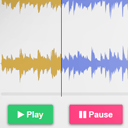
Customizable HTML5 Audio controller with waveform preview (mixed or split channels), using WordPress native audio and playlist shortcode.
Embed any external content into WordPress posts and pages. It works seamlessly on Gutenberg, Elementor, classic editor, the embed shortcode, as well a …
Boost AI visibility with LLM.txt & llm-full.txt—auto-generate smart, crawlable content files for ChatGPT, Claude, Gemini & more.
Private, on-device AI for WordPress: semantic related posts, AI alt text and personalized recommendations. No API keys, no cloud, no fees.

By VCAT Consulting
Bulk download all files from one or multiple Gravity Forms entries in one go.

By Automattic
Manage your ad codes through the WordPress admin safely and easily.
CHOOSE WHAT YOUR WEBSITE NEEDS
Start with the task you need to solve. Compare features, WordPress and PHP requirements, update history and the author’s documentation. Test changes on a private copy and avoid adding several plugins for the same job.
This independent directory displays plugin information on WebFulHost and links to the official source. Packages are not mirrored or installed here. A plugin can include paid extensions or services with separate terms from its author.