A powerful and flexible WordPress event calendar plugin that lets you display your events in multiple calendar views, just like Google Calendar.
★ 4.3/5 (46)900+ active installations
- Version
- 1.4.45
- WordPress
- 3.0.5+
- Updated
- 16 Nov 2026
View plugin details ↗A fast, flexible and responsive podcast player with chapters, transcripts and customizable themes.
★ 3.7/5 (14)4,000+ active installations
- Version
- 5.10.0
- WordPress
- 6.3+
- PHP
- 7.2+
- Updated
- 3 Oct 2026
View plugin details ↗Personalization, A/B testing, and geolocation — easy to use with Elementor, Gutenberg, and all page builders.
★ 4.7/5 (92)7,000+ active installations
- Version
- 1.10.4
- WordPress
- 5.6+
- Updated
- 4 Nov 2026
View plugin details ↗Boost SEO with AI-powered semantic internal linking. Build Silos, bulk interlink, fix orphan pages, and track rankings.
★ 4.8/5 (17)2,000+ active installations
- Version
- 2.8.9
- WordPress
- 5.6+
- PHP
- 7.4+
- Updated
- 18 Nov 2026
View plugin details ↗Easily add Google AdSense ad code to your WordPress site. Automatically show Google ads optimized for your site at optimal times and increase revenue.
★ 4.3/5 (7)5,000+ active installations
- Version
- 1.0.13
- WordPress
- 4.9+
- PHP
- 5.2.4+
- Updated
- 24 Aug 2026
View plugin details ↗Table Block For the Block Editor. Craft Beautiful Tables With Ease.
★ 4.8/5 (46)4,000+ active installations
- Version
- 1.2.1
- WordPress
- 6.1+
- PHP
- 7.0+
- Updated
- 8 Nov 2026
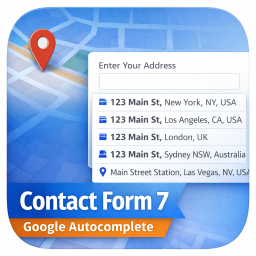
View plugin details ↗Add a Google Address Autocomplete field to Contact Form 7 forms. Powered by Google Places API for real-time address suggestions and accurate data coll …
★ 5.0/5 (13)1,000+ active installations
- Version
- 10.0
- WordPress
- 5.8+
- PHP
- 7.2+
- Updated
- 25 Oct 2026
View plugin details ↗Create custom searchable maps with custom markers and routes. The simple, private alternative to Google Maps.
★ 4.2/5 (5)400+ active installations
- Version
- 2.2.3
- WordPress
- 4.0+
- PHP
- 7.3+
- Updated
- 12 Nov 2026
View plugin details ↗Easily add post carousels to your website. Works with any custom post type or regular posts. Controls allow for insertion of multiple carousels on a s …
★ 4.6/5 (17)2,000+ active installations
- Version
- 1.4.12
- WordPress
- 4.5+
- PHP
- 7.0+
- Updated
- 9 Jan 2026
View plugin details ↗Creates SEO-friendly table of contents for your posts/pages. Works automatically or manually (via shortcode, Gutenberg block or widget).
★ 4.9/5 (885)90,000+ active installations
- Version
- 2.1.14
- WordPress
- 4.7+
- PHP
- 5.6.20+
- Updated
- 16 Apr 2025
View plugin details ↗Add a table of contents to posts and pages automatically. Easy onboarding wizard, themes with dark mode, and advanced customization.
★ 4.9/5 (43)7,000+ active installations
- Version
- 3.0.4
- WordPress
- 5.0+
- PHP
- 7.0+
- Updated
- 13 Oct 2026
View plugin details ↗Optimize and tweak WordPress by disable unused features. Improve performance, SEO and security using Clearfy — super easy, fast and zero code.
★ 4.7/5 (339)40,000+ active installations
- Version
- 2.4.3
- WordPress
- 6.0+
- PHP
- 7.4+
- Updated
- 23 Jul 2026
View plugin details ↗