

Show customer testimonials and reviews with photos, star ratings and company details in a testimonial slider or grid. No coding needed.
★ 4.3/5 (35)1,000+ active installations
- Version
- 3.3.11
- WordPress
- 6.0+
- PHP
- 7.4+
- Updated
- 26 Nov 2026
WORDPRESS RESOURCES
Explore public plugin information from the official WordPress.org directory. Compare what a plugin does, its requirements and update history before adding it to your website.
Explore WordPress hosting →51 matching plugins reported by WordPress.org · Page 3 of 5
Source: WordPress.org
Data refreshed 29 Nov 2026 04:18 UTC
Show customer testimonials and reviews with photos, star ratings and company details in a testimonial slider or grid. No coding needed.

By Elicus
WPMozo Blocks and Addons is a plugin that enhances the Block editor with a collection of powerful and customizable blocks.
Add stunning image hover effects to WordPress. 500+ CSS3 animations, 10 effect modules. Native Elementor widget, Gutenberg block & WPBakery widget.

By RSTheme
Ultimate Tag Cloud enhances tag display with dynamic loading, Elementor integration, and stylish layouts for better taxonomy organization.

By LogicRays Technologies
Display portfolio projects anywhere on your site with a simple shortcode. Responsive, filterable, and easy to configure.
Premium Blocks for Gutenberg: Free Gutenberg blocks packed with performance-optimized tools, global styling options, responsive controls, pre-built te …

By Randy Breland
Free Elementor widgets for PDF embed, comparison tables, FAQ and recipe schema, filterable galleries, and a table of contents.

WordPress gallery plugin for photographers. Create fast, responsive image galleries with Masonry, Justified, Grid, Lightbox, and Infinite Scroll.

By WPDINO
A WordPress portfolio plugin with a custom post type, Gutenberg block, Elementor widget, shortcodes, and archive templates.
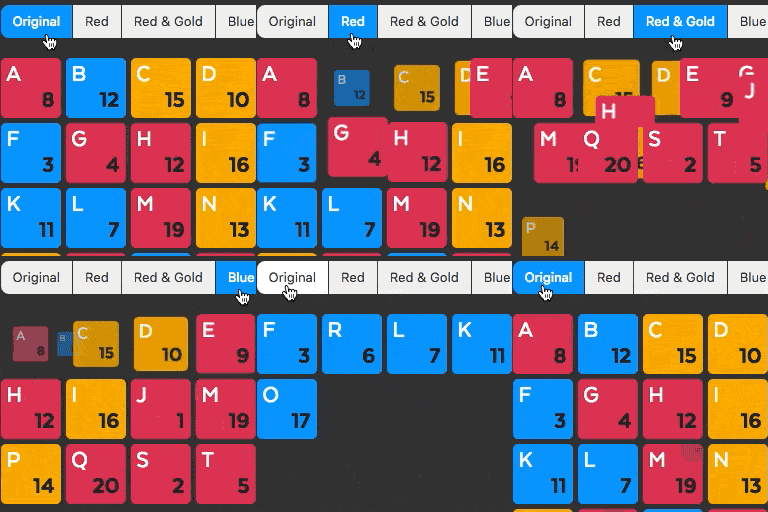
By Sharabindu Bakshi
Display your portfolio, posts, and product items in a grid with filterable

By ElementifyWP
Elementify Addons is a next-gen Elementor plugin that empowers anyone to build stunning, professional websites—faster, easier, and with zero coding.

By Shahadat Mia
The ultimate solution for creatives to showcase work in a sleek, customizable portfolio with Ajax load more button and category filtering.
CHOOSE WHAT YOUR WEBSITE NEEDS
Start with the task you need to solve. Compare features, WordPress and PHP requirements, update history and the author’s documentation. Test changes on a private copy and avoid adding several plugins for the same job.
This independent directory displays plugin information on WebFulHost and links to the official source. Packages are not mirrored or installed here. A plugin can include paid extensions or services with separate terms from its author.

