GLS Shipping plugin for WooCommerce
★ 3.7/5 (6)2,000+ active installations
- Version
- 1.5.7
- WordPress
- 5.9+
- PHP
- 7.1+
- Updated
- 12 Nov 2026
WORDPRESS RESOURCES
Explore public plugin information from the official WordPress.org directory. Compare what a plugin does, its requirements and update history before adding it to your website.
Explore WordPress hosting →127 matching plugins reported by WordPress.org · Page 3 of 11
Source: WordPress.org
Data refreshed 20 Nov 2026 00:54 UTC
GLS Shipping plugin for WooCommerce

By Sharabindu Bakshi
Generate and print barcodes for WooCommerce products and orders automatically, using SKU, ID, GTIN, UPC, EAN, or ISBN.
Free WooCommerce POS system. Turn any browser into a point of sale register, scan barcodes, print receipts, and save sales as WooCommerce orders.
Restaurant management solution for restaurant menus, online food ordering, delivery, pickup, QR ordering, and table reservations with WooCommerce.

By slbarriosdev
Free shipment tracking for WooCommerce. Add tracking numbers to orders, emails and My Account, plus a Track Your Order page. 152 carriers.

By PostNL
The official PostNL plugin allows you to automate your e-commerce order process. Covering shipping services from PostNL Netherlands and Belgium.
Tracking numbers on WooCommerce orders and emails: 1,600+ carriers with logos, a direct tracking link and a Track button. No account needed.
Lightweight 58mm, 80mm, and 4x6 thermal receipt and warehouse packing slip printer for WooCommerce with pure SVG Code-128 barcodes.

By receiptkit
Print designed receipts for online orders on thermal printers. Free browser printing on any printer; silent automatic printing with the bridge.
By moayyed alharthi
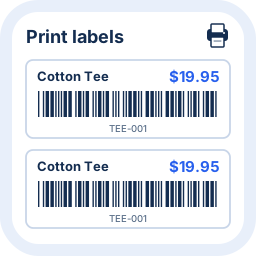
Create, customize and print barcode labels for products and variations in stores powered by WooCommerce.

By bizswoop
WooCommerce point of sale (POS) with Stripe Terminal, Tap to Pay, real-time inventory sync and any-device support. Sell in person from your store.

By codepeople
Create classic polls and advanced polls with dependant questions. Voting / survey system.
CHOOSE WHAT YOUR WEBSITE NEEDS
Start with the task you need to solve. Compare features, WordPress and PHP requirements, update history and the author’s documentation. Test changes on a private copy and avoid adding several plugins for the same job.
This independent directory displays plugin information on WebFulHost and links to the official source. Packages are not mirrored or installed here. A plugin can include paid extensions or services with separate terms from its author.