Simple Product Options for WooCommerce
By Pektsekye
It adds drop-down, radio button and text field options on the product page.
★ 4.7/5 (35)3,000+ active installations
- Version
- 1.0.0
- WordPress
- 4.7+
- Updated
- 18 Nov 2026
WORDPRESS RESOURCES
Explore public plugin information from the official WordPress.org directory. Compare what a plugin does, its requirements and update history before adding it to your website.
Explore WordPress hosting →1,920 matching plugins reported by WordPress.org · Page 3 of 50
Source: WordPress.org
Data refreshed 19 Nov 2026 21:22 UTC
By Pektsekye
It adds drop-down, radio button and text field options on the product page.

By Nathan Rice
This plugin allows you to seamlessly integrate WooCommerce with the Genesis Framework and Genesis child themes.
Extend the WordPress sitemaps XML with article modification times, alternate languages, news sitemaps, image sitemaps, and video sitemaps.

By WPClever
Encourage customers to increase their order value to be qualified for free shipping with a beautiful customizable bar.
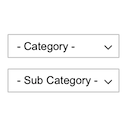
By Pektsekye
Displays product categories as dependent drop-down selects.

By Nikel
Free and beautiful Cookie Consent Banner to make your website compliant. Highly customizable and not loading any files from 3rd party servers.

By David Lingren
Enhances the Media Library; powerful gallery and list shortcodes, full taxonomy support, IPTC/EXIF/XMP/PDF processing, bulk/quick edit.

By themifyme
Build responsive layouts that work for desktop, tablets, and mobile using intuitive drag & drop editor with live preview.

By UserWay
UserWay’s Accessibility Widget creates a simpler and more accessible browsing experience for your users.

By Fernando Tellado
FREE WordPress Security: firewall, two factor authentication (2FA), security headers, login, malware and password protection, scanner, activity log

By Kybernetik Services
Configure all XML sitemaps generated by the WordPress core with ease

By maxfoundry
Maxbuttons is the best and easiest button plugin for WordPress. Within minutes you can create beautiful buttons, share buttons and social icons.
CHOOSE WHAT YOUR WEBSITE NEEDS
Start with the task you need to solve. Compare features, WordPress and PHP requirements, update history and the author’s documentation. Test changes on a private copy and avoid adding several plugins for the same job.
This independent directory displays plugin information on WebFulHost and links to the official source. Packages are not mirrored or installed here. A plugin can include paid extensions or services with separate terms from its author.