

Hide Page And Post Title
By Arjun Thakur
Hide titles on individual pages, posts and public custom post types.
★ 3.6/5 (54)40,000+ active installations
- Version
- 1.6.3
- WordPress
- 4.1+
- PHP
- 5.6+
- Updated
- 25 Sep 2026
WORDPRESS RESOURCES
Explore public plugin information from the official WordPress.org directory. Compare what a plugin does, its requirements and update history before adding it to your website.
Explore WordPress hosting →10,000 matching plugins reported by WordPress.org · Page 3 of 50
Source: WordPress.org
Data refreshed 22 Nov 2026 14:01 UTC
By Arjun Thakur
Hide titles on individual pages, posts and public custom post types.

By Pär Thernström
Get a tree view of all your pages directly in the admin menu. Search, add, edit, view, re-order – all is just one click away!

By boldthemes
Free Page Builder and Visual Composer - Build stunning responsive post and page layouts with easy to use drag and drop builder - no coding required.
Freeform page builder & website builder for WordPress. Infinite canvas for complex, interactive websites. Built-in forms, animations & Customizer.

By WP Folio Team
Password protect WordPress pages and posts by user roles or with multiple passwords; protect your entire website with a single password.

By codepeople
Displays a customizable loading screen with progress percentage while your website finishes loading, hiding unrendered content.
Quickly create WordPress pages with 20+ blocks, 100+ ready-to-import designs, and advanced editor extensions. It’s website building, Lego-style!

By WP User Manager
Completely remove unwanted Archive Pages from your Blog
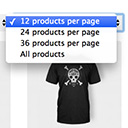
By Jeroen Sormani
Products Per Page for WooCommerce is a easy-to-setup plugin that integrates a 'products per page' dropdown on your WooCommerce pages.

By themefusecom
A page builder that is fast & easy, Brizy is a next-gen website builder that anyone can use. No designer or developer skills required.
Bulk generate multiple Pages using dynamic content.
Post and Page Builder is a standalone plugin which adds functionality to the existing TinyMCE Editor.
CHOOSE WHAT YOUR WEBSITE NEEDS
Start with the task you need to solve. Compare features, WordPress and PHP requirements, update history and the author’s documentation. Test changes on a private copy and avoid adding several plugins for the same job.
This independent directory displays plugin information on WebFulHost and links to the official source. Packages are not mirrored or installed here. A plugin can include paid extensions or services with separate terms from its author.



