

Lucky Wheel Giveaway
By VillaTheme
Collect customer's emails by spinning the lucky wheel game to get discount coupons.
★ 3.9/5 (8)400+ active installations
- Version
- 1.1.4
- WordPress
- 5.0+
- PHP
- 7.4+
- Updated
- 14 Nov 2026
WORDPRESS RESOURCES
Explore public plugin information from the official WordPress.org directory. Compare what a plugin does, its requirements and update history before adding it to your website.
Explore WordPress hosting →690 matching plugins reported by WordPress.org · Page 3 of 50
Source: WordPress.org
Data refreshed 19 Nov 2026 03:12 UTC
By VillaTheme
Collect customer's emails by spinning the lucky wheel game to get discount coupons.

By bPlugins
Create and display a Data Chart on your site within a few clicks. Easily visualize your data!
Swap the boring default pointer for a stylish custom cursor — dot, ring or both. Full color control, live preview, zero code.

By ProteusThemes
Allows you to create custom sidebars. Replace sidebars for specific posts and pages.

By Fernando Tellado
Monitor 60+ AI crawlers, control access via robots.txt, and boost your AI visibility with llms.txt, JSON-LD, Markdown for Agents & Visibility Score.

By lenasterg
Search millions of CC-licensed images without leaving WordPress editor. Use one into your post content or set as featured image very quickly.

By Tabnav
Fix accessibility issues and keep your site accessible with tabnav’s AI-powered accessibility service.
Create custom cursors, animated cursor effects, and animated background effects in WordPress with a live preview. No coding required.

Decorate your WordPress site with festive Christmas trees, holiday garlands, festive header & footer banners, and animated falling snow effects.

By Suryagopal Dhara
Turn any visitor's cursor into a pencil so they can sketch freehand directly on top of your website — a fun, interactive touch for any site.
Create 360 virtual tours for real estate, hotels, and showrooms in minutes with WPVR, the #1 virtual tour creator plugin for WordPress!
By Marcus (aka @msykes)
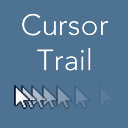
Add a cursor trail to your website mouse pointer, with custom pointer image, speed/interval adjustment and scheduling.
CHOOSE WHAT YOUR WEBSITE NEEDS
Start with the task you need to solve. Compare features, WordPress and PHP requirements, update history and the author’s documentation. Test changes on a private copy and avoid adding several plugins for the same job.
This independent directory displays plugin information on WebFulHost and links to the official source. Packages are not mirrored or installed here. A plugin can include paid extensions or services with separate terms from its author.


