Add product size charts with default template or custom size chart to any of your WooCommerce products.
★ 4.3/5 (39)9,000+ active installations
- Version
- 2.4.9
- WordPress
- 5.0+
- PHP
- 7.2+
- Updated
- 18 Nov 2026
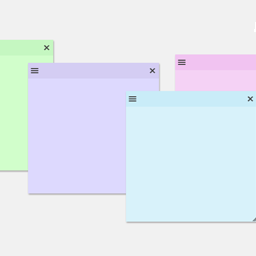
View plugin details ↗Create sticky notes in your WP admin for reminders and to-dos. Restrict notes by user roles and disable them on specific pages.
★ 5.0/5 (7)1,000+ active installations
- Version
- 1.2.7
- WordPress
- 3.6.0+
- PHP
- 5.6+
- Updated
- 4 Sep 2026
View plugin details ↗The Events Calendar: #1 calendar plugin for WordPress. Create/manage events (virtual too!) on your site with the free plugin.
★ 4.2/5 (2,467)600,000+ active installations
- Version
- 6.18.4.1
- WordPress
- 6.9+
- PHP
- 7.4+
- Updated
- 19 Nov 2026
View plugin details ↗WooCommerce Size Chart lets customize and design size charts for specific products or categories, enhancing customer convenience and boosting sales.
★ 4.3/5 (32)6,000+ active installations
- Version
- 2.1.6
- WordPress
- 5.2+
- PHP
- 7.4+
- Updated
- 7 Nov 2026
View plugin details ↗Native integration with Google that allows merchants to easily display their products across Google’s network.
★ 2.7/5 (269)800,000+ active installations
- Version
- 3.10.1
- WordPress
- 6.9+
- PHP
- 7.4+
- Updated
- 16 Nov 2026
View plugin details ↗Automatically generate WooCommerce product SKUs from the product / attribute slugs and/or IDs.
★ 4.9/5 (20)8,000+ active installations
- Version
- 2.5.1
- WordPress
- 5.6+
- PHP
- 7.4+
- Updated
- 23 Apr 2026
View plugin details ↗All-in-One WooCommerce Product Image and Video Gallery Solution to Enhance Your Customers' Shopping Experience and Boost Sales Instantly!
★ 4.9/5 (162)20,000+ active installations
- Version
- 4.0.0
- WordPress
- 6.6+
- PHP
- 7.0+
- Updated
- 10 Nov 2026
View plugin details ↗WooCommerce AI toolkit: bulk product descriptions, titles, SEO meta, FAQs, chatbot. Run it from ChatGPT or Claude via MCP. Less effort, more output.
★ 4.8/5 (16)500+ active installations
- Version
- 2.8.3
- WordPress
- 6.6+
- PHP
- 7.4+
- Updated
- 10 Nov 2026
View plugin details ↗Show WooCommerce products in carousels, sliders and grids with hover image swap, quick view and fade effects. Works with Gutenberg and Elementor.
★ 4.3/5 (33)6,000+ active installations
- Version
- 1.15.1
- WordPress
- 4.0+
- Updated
- 15 Nov 2026
View plugin details ↗Add expiry dates to WooCommerce products and variations, then auto set them out of stock, draft, or expired and email you when they expire.
★ 4.5/5 (13)1,000+ active installations
- Version
- 3.5
- WordPress
- 6.0+
- PHP
- 7.2+
- Updated
- 18 Nov 2026
View plugin details ↗Records every WooCommerce price change, shows a price history chart, and displays the lowest price from the last 30 days.
★ 5.0/5 (9)800+ active installations
- Version
- 2.8.0
- WordPress
- 6.4+
- PHP
- 7.4+
- Updated
- 19 Nov 2026
View plugin details ↗Boost WooCommerce sales with the Rearrange Products for WooCommerce plugin. Easily reorder products with a simple drag-and-drop tool!
★ 4.6/5 (58)20,000+ active installations
- Version
- 6.1.0
- WordPress
- 6.6+
- PHP
- 7.4.0+
- Updated
- 29 Oct 2026
View plugin details ↗