
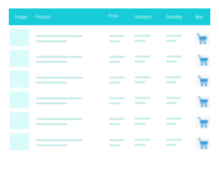
A truly lightweight, EASY to use and super FAST WooCommerce product table solution to add multiple products to cart at once.
★ 4.8/5 (24)400+ active installations
- Version
- 9.1.1
- WordPress
- 4.9+
- PHP
- 7.0+
- Updated
- 30 Sep 2026
WORDPRESS RESOURCES
Explore public plugin information from the official WordPress.org directory. Compare what a plugin does, its requirements and update history before adding it to your website.
Explore WordPress hosting →6,704 matching plugins reported by WordPress.org · Page 3 of 50
Source: WordPress.org
Data refreshed 21 Nov 2026 03:57 UTC
A truly lightweight, EASY to use and super FAST WooCommerce product table solution to add multiple products to cart at once.
WooCommerce Product Addons Add custom fields to your WooCommerce product page. With an easy-to-use Custom Form Builder.

By WPClever
WPC Product Table helps you show selected products as a table on the page.
Elementor table plugin to build responsive tables in Elementor with drag & drop: merge cells, colspan, rowspan, striped rows and full styling.
Turn Google Sheets into live WordPress tables. Embed, sync, and customize data instantly with search, filters, and styling - no coding needed.

By A WP Life
Display pricing plans with responsive tables. Unlimited packages, 4 templates, shortcode support. Works with Elementor and Gutenberg.

By HT Plugins
JustTables is a Product Tables plugin for WooCommerce.
Create and display a professional-looking product pricing table in WordPress.

Create WooCommerce product feeds for Google Shopping, Facebook, TikTok & 220+ channels. 2026 compliant. 6 formats.

By impleCode
eCommerce Product Catalog is a powerful and free plugin to sell with a beautiful eCommerce or request for a quote WordPress website.
Elementor addon: 120+ widgets & templates — Elementor Gallery, Mega Menu, Slider, Form, Post Grid, Accordion, Header Footer Builder & WooCommerce.

By Suman Bhattarai
This plugin auto regenerates Woocommerce product lookup table which is helpful when product sorting functionality is not working as expected.
CHOOSE WHAT YOUR WEBSITE NEEDS
Start with the task you need to solve. Compare features, WordPress and PHP requirements, update history and the author’s documentation. Test changes on a private copy and avoid adding several plugins for the same job.
This independent directory displays plugin information on WebFulHost and links to the official source. Packages are not mirrored or installed here. A plugin can include paid extensions or services with separate terms from its author.




