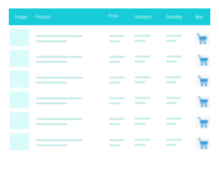
Advanced WooCommerce product search plugin. Search inside any product field. Support for both AJAX search and search results page.
★ 4.8/5 (248)60,000+ active installations
- Version
- 3.74
- WordPress
- 4.0+
- PHP
- 7.0+
- Updated
- 2 Nov 2026
WORDPRESS RESOURCES
Explore public plugin information from the official WordPress.org directory. Compare what a plugin does, its requirements and update history before adding it to your website.
Explore WordPress hosting →991 matching plugins reported by WordPress.org · Page 3 of 50
Source: WordPress.org
Data refreshed 22 Nov 2026 18:39 UTC
Advanced WooCommerce product search plugin. Search inside any product field. Support for both AJAX search and search results page.

By WP Artisan
The Remove Product Content for WooCommerce plugin allows store owners to easily customize product pages by removing unwanted sections or elements.
Modern Bulk Editor for WooCommerce products, create and edit hundreds of products in a spreadsheet inside wp-admin. No need to export/import
WooCommerce inventory and stock management plugin with real-time Google Sheets sync. Track, manage, and bulk edit products instantly.

By Stock Management Labs
WooCommerce Full Inventory Management, Purchase Orders, Suppliers, Inbound Stock, Inventory Logs, WooCommerce Sales Statistics, and More.
Increase loyalty & sales by letting customers create, manage & share multiple wishlists on your WooCommerce store.

By Mykola Lukin
Bulk update WooCommerce product prices: filter products, change prices by percentage, amount, or formula — and preview before applying.
Extend Elementor with 68+ widgets, 114 prebuilt demos, Mega Menu Builder, Theme Builder, and advanced interactive effects.

By Plugincy
Dynamic AJAX Product Filters allow shoppers to quickly filter WooCommerce products by categories, attributes, prices, and more.
A truly lightweight, EASY to use and super FAST WooCommerce product table solution to add multiple products to cart at once.

Create WooCommerce product feeds for Google Shopping, Facebook, TikTok & 220+ channels. 2026 compliant. 6 formats.
Display WooCommerce products in a responsive slider or carousel with customizable layouts to boost engagement and improve product browsing.
CHOOSE WHAT YOUR WEBSITE NEEDS
Start with the task you need to solve. Compare features, WordPress and PHP requirements, update history and the author’s documentation. Test changes on a private copy and avoid adding several plugins for the same job.
This independent directory displays plugin information on WebFulHost and links to the official source. Packages are not mirrored or installed here. A plugin can include paid extensions or services with separate terms from its author.