❤️ Excellent membership plugin! Easy, quick, flexible. Monetize your site with memberships and subscriptions. Protect content instantly and securely.
★ 4.1/5 (234)8,000+ active installations
- Version
- 261120
- WordPress
- 4.2+
- PHP
- 5.6.2+
- Updated
- 20 Nov 2026
View plugin details ↗Real-time private messaging, group chat, chat rooms, video and audio calls, AI chat bots and mobile apps for WordPress, BuddyPress and BuddyBoss.
★ 4.8/5 (142)10,000+ active installations
- Version
- 3.3.0
- WordPress
- 5.9.0+
- PHP
- 7.4+
- Updated
- 14 Nov 2026
View plugin details ↗Restrict the usage of WooCommerce coupons based on user roles.
60+ active installations
- Version
- 1.1.4
- WordPress
- 6.4+
- PHP
- 7.4+
- Updated
- 16 Nov 2026
View plugin details ↗FREE WordPress Security: firewall, two factor authentication (2FA), security headers, login, malware and password protection, scanner, activity log
★ 5.0/5 (26)4,000+ active installations
- Version
- 3.1.0
- WordPress
- 6.2+
- PHP
- 7.4+
- Updated
- 22 Nov 2026
View plugin details ↗Hide or show WordPress menu items by user role and login status, item by item, without creating duplicate menus.
★ 5.0/5 (1)100+ active installations
- Version
- 2.1.0
- WordPress
- 5.0+
- PHP
- 7.0+
- Updated
- 25 Oct 2026
View plugin details ↗
By David Anderson / Team Updraft
Protect your WordPress site with All-In-One Security (AIOS): easy-to-use login security, a powerful firewall, and much more.
★ 4.7/5 (1,721)1,000,000+ active installations
- Version
- 5.5.1
- WordPress
- 5.3+
- PHP
- 7.4+
- Updated
- 18 Nov 2026
View plugin details ↗Create customized registration forms, Invite through email, Email Notification, User Roles assignment, and more.
★ 4.2/5 (222)1,000+ active installations
- Version
- 4.0.0.0
- WordPress
- 6.0+
- PHP
- 8.2+
- Updated
- 12 Nov 2026
View plugin details ↗Set WooCommerce order limits with ease. Control min/max quantities, cart totals, category rules, user role restrictions, and checkout limit.
★ 4.2/5 (13)800+ active installations
- Version
- 4.0.1
- WordPress
- 6.2+
- PHP
- 7.4+
- Updated
- 1 Nov 2026
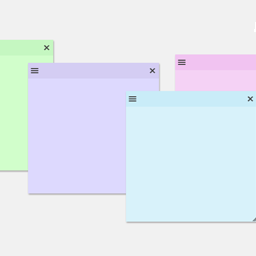
View plugin details ↗Create sticky notes in your WP admin for reminders and to-dos. Restrict notes by user roles and disable them on specific pages.
★ 5.0/5 (7)1,000+ active installations
- Version
- 1.2.7
- WordPress
- 3.6.0+
- PHP
- 5.6+
- Updated
- 4 Sep 2026
View plugin details ↗Manage WooCommerce subscriptions & memberships with Stripe payments, subscription box, customer portal, one-time subscriptions, recurring billing
★ 5.0/5 (5)800+ active installations
- Version
- 2.1.2
- WordPress
- 6.6+
- PHP
- 8.1+
- Updated
- 19 Nov 2026
View plugin details ↗Create custom WordPress roles, restrict admin menu access, manage allowed actions, and receive email alerts when restricted actions are attempted.
★ 5.0/5 (1)30+ active installations
- Version
- 1.0.4
- WordPress
- 5.8+
- PHP
- 7.4+
- Updated
- 12 Sep 2026
View plugin details ↗Advanced tag management for WordPress with Google Tag Manager
★ 4.5/5 (155)700,000+ active installations
- Version
- 2.1.1
- WordPress
- 6.3+
- PHP
- 8.0+
- Updated
- 5 Nov 2026
View plugin details ↗