Theme Editor allows you to edit theme files, create folder, upload files and remove any file and folder in themes and plugins.
★ 4.6/5 (128)50,000+ active installations
- Version
- 3.2
- WordPress
- 3.4+
- PHP
- 5.2.4+
- Updated
- 19 Mar 2026
View plugin details ↗With WP-Appbox you can add beautiful mobile app badges to your WordPress posts and pages simply by adding a shortcode.
★ 4.5/5 (63)2,000+ active installations
- Version
- 4.5.13
- WordPress
- 5.5+
- Updated
- 20 Aug 2026
View plugin details ↗CP Blocks allows to insert complementary blocks of code, like buttons, design elements, new functionalities, etc. It supports inserting blocks into th …
★ 5.0/5 (11)1,000+ active installations
- Version
- 1.1.3
- WordPress
- 3.0.5+
- Updated
- 14 Aug 2026
View plugin details ↗Enable your clients and team members to submit feedback using screenshot and recordings on your WordPress site.
★ 5.0/5 (5)1,000+ active installations
- Version
- 1.0.10
- WordPress
- 4.7+
- PHP
- 5.6+
- Updated
- 9 Jul 2026
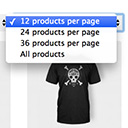
View plugin details ↗Products Per Page for WooCommerce is a easy-to-setup plugin that integrates a 'products per page' dropdown on your WooCommerce pages.
★ 4.8/5 (80)10,000+ active installations
- Version
- 1.2.10
- WordPress
- 5.0.0+
- Updated
- 31 Oct 2026
View plugin details ↗WP User Merger is a WordPress plugin that allows you to merge two different users with seletable user fields.
★ 5.0/5 (6)300+ active installations
- Version
- 1.6.6
- WordPress
- 4.4+
- PHP
- 7.0+
- Updated
- 30 Oct 2026
View plugin details ↗A simple, yet powerful WordPress analytics plugin that gives you privacy-friendly stats to grow your website. A Google Analytics alternative.
★ 4.8/5 (168)100,000+ active installations
- Version
- 2.16.3
- WordPress
- 5.9+
- PHP
- 8.2.35+
- Updated
- 17 Nov 2026
View plugin details ↗Shortcode to include images from Screenshot Machine in your content.
★ 5.0/5 (3)20+ active installations
- Version
- 3.0.0
- WordPress
- 6.0+
- PHP
- 7.4.33+
- Updated
- 29 Oct 2026
View plugin details ↗WooCommerce Product Filter (WOOF) extension to display a set of filters depending on the current product category page.
★ 4.8/5 (19)1,000+ active installations
- Version
- 3.3.3
- WordPress
- 6.0+
- PHP
- 7.4+
- Updated
- 2 Nov 2026
View plugin details ↗Expand the tabs in the single-product page.
★ 5.0/5 (27)1,000+ active installations
- Version
- 1.33
- WordPress
- 3.0.1+
- PHP
- 5.2.4+
- Updated
- 3 Nov 2026
View plugin details ↗Map your Gravity-Forms-generated posts to a custom post type and/or custom taxonomies.
★ 4.4/5 (46)10,000+ active installations
- Version
- 3.1.33
- WordPress
- 3.0.1+
- PHP
- 5.6+
- Updated
- 17 Sep 2026
View plugin details ↗Pure CSS responsive grid layouts for contact form 7. It enables rich interlinking of your CMS data via taxonomy/posts populated dropdown fields.
★ 4.5/5 (72)10,000+ active installations
- Version
- 4.19.0
- WordPress
- 4.7+
- PHP
- 8.3+
- Updated
- 30 Oct 2026
View plugin details ↗