Search in Place improves blog search by displaying query results in real time. It displays the results dynamically as you enter the search criteria.
★ 4.9/5 (65)3,000+ active installations
- Version
- 1.5.8
- WordPress
- 3.0.5+
- Updated
- 14 Nov 2026
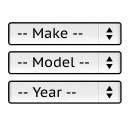
View plugin details ↗It will find products for selected make and model.
★ 5.0/5 (34)1,000+ active installations
- Version
- 1.0.12
- WordPress
- 4.7+
- Updated
- 20 Nov 2026
View plugin details ↗Help visitors find what they need faster with instant search results as they type, including excerpts and thumbnails.
★ 5.0/5 (30)600+ active installations
- Version
- 3.0.0
- WordPress
- 6.5+
- PHP
- 7.4+
- Updated
- 20 Oct 2026
View plugin details ↗Uncover exactly what visitors search for on your site. Stop guessing what content to create, fix content gaps, and boost engagement.
★ 4.9/5 (29)3,000+ active installations
- Version
- 2.1
- WordPress
- 4.8+
- PHP
- 7.0+
- Updated
- 28 Aug 2026
View plugin details ↗Popup Cart Lite for WooCommerce for WooCommerce plugin that displays popup cart for add to cart action.
★ 4.3/5 (6)4,000+ active installations
- Version
- 1.2.0
- WordPress
- 5.0+
- PHP
- 7.2.0+
- Updated
- 4 Sep 2026
View plugin details ↗Search Meter tracks what your readers are searching for on your site. View full details of recent searches or stats for the last day, week or month.
★ 4.3/5 (29)20,000+ active installations
- Version
- 2.14.1
- WordPress
- 3.2+
- Updated
- 3 Dec 2025
View plugin details ↗The official Booking.com search box is a user-friendly, customisable plugin to add the Booking.com search box to your own website in two easy steps.
★ 2.4/5 (8)2,000+ active installations
- Version
- 3.0.6
- WordPress
- 3.0+
- Updated
- 12 Mar 2026
View plugin details ↗Elementor addon: 120+ widgets & templates — Elementor Gallery, Mega Menu, Slider, Form, Post Grid, Accordion, Header Footer Builder & WooCommerce.
★ 4.9/5 (4,133)1,000,000+ active installations
- Version
- 6.8.9
- WordPress
- 5.3+
- PHP
- 7.0+
- Updated
- 15 Nov 2026
View plugin details ↗Replaces WooCommerce search with AI semantic search. Finds products even with natural language queries. No OpenAI key needed. Free forever.
★ 5.0/5 (3)200+ active installations
- Version
- 1.5.5
- WordPress
- 5.8+
- PHP
- 7.4+
- Updated
- 3 Nov 2026
View plugin details ↗Engage customers while collecting their email address with a well-designed popup. Optionally reward them with coupons.
★ 4.6/5 (37)1,000+ active installations
- Version
- 2.1.15
- WordPress
- 5.0+
- PHP
- 7.4+
- Updated
- 21 Nov 2026
View plugin details ↗Admin Search adds a simple, easy-to-use interface to your WordPress admin site that gives you and your admin users the ability to search across multip …
★ 4.5/5 (18)1,000+ active installations
- Version
- 1.5.0
- WordPress
- 4.9.2+
- PHP
- 5.2+
- Updated
- 28 May 2026
View plugin details ↗Display notices/alerts on the page.
★ 5.0/5 (1)400+ active installations
- Version
- 2.1.0
- WordPress
- 6.5+
- PHP
- 7.1+
- Updated
- 18 Nov 2026
View plugin details ↗