Showcase WooCommerce product categories in sliders, grids, or blocks with styling control, responsive layouts, and shortcode support
★ 5.0/5 (5)1,000+ active installations
- Version
- 2.4.1
- WordPress
- 5.2+
- PHP
- 7.4+
- Updated
- 24 Aug 2026
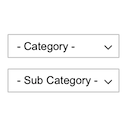
View plugin details ↗Displays product categories as dependent drop-down selects.
★ 4.7/5 (12)800+ active installations
- Version
- 1.0.0
- WordPress
- 4.7+
- Updated
- 16 Nov 2026
View plugin details ↗Organize and manage your files with WordPress media folders. Fast, flexible, and professional.
★ 4.3/5 (22)6,000+ active installations
- Version
- 2.5.7
- WordPress
- 5.2+
- PHP
- 7.2+
- Updated
- 1 Nov 2026
View plugin details ↗Create a responsive Blog Filter Post Grid to showcase posts. Let visitors filter by Category or Tag easily using Ajax. Supports Elementor and Divi.
★ 4.9/5 (81)7,000+ active installations
- Version
- 1.8.7
- WordPress
- 5.0+
- PHP
- 7.0+
- Updated
- 1 Sep 2026
View plugin details ↗Super customizable WordPress plugin for displaying custom menus, taxonomy/category terms and FAQs as accordion menu (with images support).
★ 5.0/5 (27)10,000+ active installations
- Version
- 1.12.7
- WordPress
- 4.4.0+
- PHP
- 5.4+
- Updated
- 26 Sep 2026
View plugin details ↗Free store locator with OpenStreetMap maps and no API key. Or use Google Maps, Mapbox or Stadia Maps. Unlimited locations, custom fields and markers.
★ 4.8/5 (312)40,000+ active installations
- Version
- 3.1.2
- WordPress
- 5.7+
- PHP
- 7.4+
- Updated
- 13 Nov 2026
View plugin details ↗Use product and country rules to show or hide payment gateways in WooCommerce, improve margins, and streamline checkout.
★ 4.2/5 (18)4,000+ active installations
- Version
- 2.0.1
- WordPress
- 4.4+
- PHP
- 7.4+
- Updated
- 19 Nov 2026
View plugin details ↗Force users to select a taxonomy term when publishing posts. For example, make category or tags required
★ 4.1/5 (8)1,000+ active installations
- Version
- 1.2.1
- WordPress
- 3.6+
- Updated
- 22 Aug 2026
View plugin details ↗Easily create custom blocks and custom meta fields for Gutenberg without hard coding.
★ 4.9/5 (80)20,000+ active installations
- Version
- 4.5.2
- WordPress
- 6.2+
- PHP
- 8.3+
- Updated
- 17 Nov 2026
View plugin details ↗Reverse the post order for a specific category to be date ascending. This is a lightweight plugin that adds the option to reorder the posts from a spe …
★ 5.0/5 (7)1,000+ active installations
- Version
- 1.05
- WordPress
- 4.4+
- PHP
- 5.2.4+
- Updated
- 24 Jun 2026
View plugin details ↗Modern WordPress plugin for filtering categories from home page with performance optimization and security enhancements.
★ 5.0/5 (1)200+ active installations
- Version
- 2.1.1
- WordPress
- 6.0+
- PHP
- 8.3+
- Updated
- 6 Sep 2026
View plugin details ↗
By Diana van de Laarschot
Dynamic menus: List all posts from a category in your menu. Also works for tags, custom taxonomies as well as pages and custom post types.
★ 4.8/5 (43)2,000+ active installations
- Version
- 3.0.7
- WordPress
- 5.4+
- PHP
- 7.4+
- Updated
- 28 Aug 2026
View plugin details ↗