Easy to show posts, pages, custom posts in customizable grid, list, slider, accordion... Available as Widgets (for Elementor), Shortcode, and Blocks.
★ 4.8/5 (333)100,000+ active installations
- Version
- 4.5.2
- WordPress
- 5.0+
- PHP
- 5.6+
- Updated
- 19 Nov 2026
View plugin details ↗Firewall, Malware Scanner, Two Factor Auth, and Comprehensive Security Features, powered by our 24-hour team. Make security a priority with Wordfence.
★ 4.7/5 (5,054)5,000,000+ active installations
- Version
- 9.1.1
- WordPress
- 4.7+
- PHP
- 7.0+
- Updated
- 10 Nov 2026
View plugin details ↗Formerly "Custom Facebook Feed". Display completely customizable Facebook feeds of a Facebook page. Supports Facebook oEmbeds.
★ 4.7/5 (1,511)100,000+ active installations
- Version
- 4.16.0
- WordPress
- 4.1+
- PHP
- 7.4+
- Updated
- 12 Nov 2026
View plugin details ↗Free WordPress accessibility widget to improve accessibility for your website visitors. Supports efforts towards meeting WCAG, ADA & EAA requirements.
★ 4.8/5 (39)20,000+ active installations
- Version
- 3.2.8
- WordPress
- 5.0.0+
- PHP
- 5.6+
- Updated
- 10 Nov 2026
View plugin details ↗This plugin allows you to create multiple, dynamic widget areas, and assign those widget areas to sidebar locations within the Genesis Framework on a …
★ 4.4/5 (27)10,000+ active installations
- Version
- 2.2.3
- WordPress
- 4.7.3+
- Updated
- 2 Jun 2026
View plugin details ↗
By mra13 / Team Tips and Tricks HQ
Lightweight, user-friendly plugin to sell products/services on WordPress. Easily add a shopping cart and start accepting orders in minutes.
★ 4.6/5 (215)10,000+ active installations
- Version
- 5.3.4
- WordPress
- 6.0+
- PHP
- 7.4+
- Updated
- 20 Nov 2026
View plugin details ↗Collect and embed Instagram feeds, LinkedIn posts, Twitter feeds, YouTube videos, Google Reviews & 20+ social media widgets on your WordPress website.
★ 3.9/5 (61)9,000+ active installations
- Version
- 8.2
- WordPress
- 5.0+
- PHP
- 5.6+
- Updated
- 16 Oct 2026
View plugin details ↗Display list of posts, pages or any custom post types anywhere using block and widget. Show as grid, list or posts slider.
★ 5.0/5 (26)8,000+ active installations
- Version
- 3.5.0
- WordPress
- 5.4+
- PHP
- 7.2+
- Updated
- 20 Nov 2026
View plugin details ↗8 post grid and post carousel slider widgets for Elementor. Filter by category, tag or author, with load more and pagination.
★ 4.9/5 (84)20,000+ active installations
- Version
- 1.4.0
- WordPress
- 5.3+
- PHP
- 7.4+
- Updated
- 29 Oct 2026
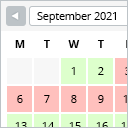
View plugin details ↗This booking calendar shows when something is booked or available. Use it to show when your holiday home is available for rent, for example.
★ 4.8/5 (227)10,000+ active installations
- Version
- 2.0.16
- WordPress
- 4.7+
- PHP
- 5.6+
- Updated
- 29 Jun 2026
View plugin details ↗Highlight your company’s history, milestones, and key events directly inside Elementor using stunning vertical and horizontal timelines.
★ 4.8/5 (248)70,000+ active installations
- Version
- 1.7.4
- WordPress
- 5.0+
- PHP
- 7.2+
- Updated
- 18 Nov 2026
View plugin details ↗Build lists the Query Loop can't: posts grouped by year, category or author, term lists and user directories — via block, shortcode or widget.
★ 4.7/5 (95)3,000+ active installations
- Version
- 3.1.0
- WordPress
- 5.8+
- PHP
- 7.4+
- Updated
- 6 Nov 2026
View plugin details ↗