

The Icon Block
By Nick Diego
Easily add SVG icons and graphics to the WordPress block editor.
★ 5.0/5 (29)40,000+ active installations
- Version
- 2.1.0
- WordPress
- 6.6+
- PHP
- 7.4+
- Updated
- 14 Sep 2026
WORDPRESS RESOURCES
Explore public plugin information from the official WordPress.org directory. Compare what a plugin does, its requirements and update history before adding it to your website.
Explore WordPress hosting →2,657 matching plugins reported by WordPress.org · Page 3 of 50
Source: WordPress.org
Data refreshed 29 Nov 2026 04:50 UTC
By Nick Diego
Easily add SVG icons and graphics to the WordPress block editor.
Connect ChatGPT, Claude, or another AI agent to your site. Plus backup, malware scan, firewall, stats, CDN, and SEO tools in one plugin.

By socialmediafeather
Lightweight social sharing and follow buttons for WordPress. Fast, flexible, and easy to use.
Get leads with a floating contact form tab, chat & social buttons like Facebook Messenger, WhatsApp, Viber, Telegram, Twitter, Instagram & more 🎉

By Nextendweb
One click registration & login plugin for Facebook, Google, X (formerly Twitter) and more. Quick setup and easy configuration.

By WPKube
This is by far the best free WordPress share plugin. It is simple yet does exactly what it should with plenty of customisation options.

By SeedThemes
Minimal Social Sharing WordPress Plugin (Just Facebook, X and LINE)
Simple & easy plugin to add social media sharing icons, buttons like Facebook, Twitter, WhatsApp, Instagram & more

By Unlimited Elements
Elementor all-in-one addons pack with the best widgets for Elementor, offering 100+ free widgets, templates, and tools to create stunning websites!
Custom social media feeds for Instagram, Facebook, TikTok, & YouTube. Works with Elementor, Beaver Builder, and Gutenberg blocks.
The fastest, GDPR-compliant all in one social feed. Display blazing-fast Instagram, Facebook, TikTok, YouTube & X feeds in a beautiful Social Wall.
By Jelle Roorda
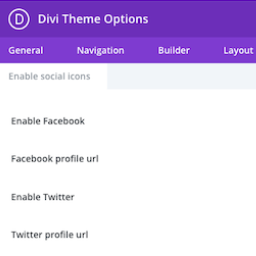
This plugin adds the ability to add more social icons to your website when using the Divi theme.
CHOOSE WHAT YOUR WEBSITE NEEDS
Start with the task you need to solve. Compare features, WordPress and PHP requirements, update history and the author’s documentation. Test changes on a private copy and avoid adding several plugins for the same job.
This independent directory displays plugin information on WebFulHost and links to the official source. Packages are not mirrored or installed here. A plugin can include paid extensions or services with separate terms from its author.




