

120+ Elementor widgets, AI tools, Mega Menu, WooCommerce, Header Footer & Popup Builder, Blog Builder & 1000+ templates. Connect any MCP AI agent.
★ 4.6/5 (388)100,000+ active installations
- Version
- 6.6.1
- WordPress
- 6.0+
- PHP
- 7.4+
- Updated
- 16 Nov 2026
WORDPRESS RESOURCES
Explore public plugin information from the official WordPress.org directory. Compare what a plugin does, its requirements and update history before adding it to your website.
Explore WordPress hosting →1,409 matching plugins reported by WordPress.org · Page 3 of 50
Source: WordPress.org
Data refreshed 20 Nov 2026 09:54 UTC
120+ Elementor widgets, AI tools, Mega Menu, WooCommerce, Header Footer & Popup Builder, Blog Builder & 1000+ templates. Connect any MCP AI agent.

By robosoft
Robo Gallery is a powerful image gallery and photo gallery plugin with advanced features to create responsive galleries with a beautiful lightbox
The most flexible filters for WooCommerce products & WordPress content. Includes everything needed, supports Elementor & builders, AJAX, quick setup.
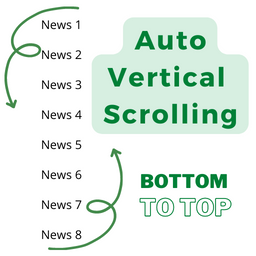
By Md. Shahinur Islam
Post Auto Vertical Scrolling plugins bottom to top. Simple but flexible.
The complete Elementor addons plugin: 55+ widgets for Elementor, Mega Menu Builder, Popup Builder, Widget Builder & Elementor Template Kits.

By micropat
Share buttons for WordPress including the AddToAny button, Facebook, Bluesky, Mastodon, WhatsApp, Pinterest, Reddit, many more, and follow icons too.

By Unlimited Elements
Elementor all-in-one addons pack with the best widgets for Elementor, offering 100+ free widgets, templates, and tools to create stunning websites!

By jetmonsters
Build better navigation menus with the WordPress mega menu blocks.
Extend Elementor with 68+ widgets, 114 prebuilt demos, Mega Menu Builder, Theme Builder, and advanced interactive effects.

By sevenspark
A flexible and robust accordion menu plugin

By Qode
Qi Addons for Elementor is a comprehensive library of 60+ custom, flexible & easily styled Elementor widgets developed by Qode Interactive.

By malihu
Create links that scroll the page smoothly to any id within the document.
CHOOSE WHAT YOUR WEBSITE NEEDS
Start with the task you need to solve. Compare features, WordPress and PHP requirements, update history and the author’s documentation. Test changes on a private copy and avoid adding several plugins for the same job.
This independent directory displays plugin information on WebFulHost and links to the official source. Packages are not mirrored or installed here. A plugin can include paid extensions or services with separate terms from its author.


