Elementor addons with 230+ Elementor widgets, WooCommerce Elementor elements, Elementor templates, Elementor mega menu, Elementor header footer builde …
★ 4.7/5 (284)100,000+ active installations
- Version
- 10.0.12
- WordPress
- 6.8+
- PHP
- 7.4.0+
- Updated
- 19 Nov 2026
View plugin details ↗The ultimate Elementor addon for cross-domain copying, magic copy buttons, and instant page duplication. Build websites faster with one-click design t …
★ 4.3/5 (3)6,000+ active installations
- Version
- 1.5.13
- WordPress
- 6.0+
- PHP
- 7.4.0+
- Updated
- 19 Nov 2026
View plugin details ↗Show multi-currency pricing and dual-currency display, accept multi-currency payment, support IP detection, custom/global rate, fixed price and more
★ 4.3/5 (227)20,000+ active installations
- Version
- 2.2.23
- WordPress
- 6.0+
- PHP
- 7.4+
- Updated
- 20 Nov 2026
View plugin details ↗Build SEO friendly sliders fast and easy with touch swipe navigation that works smoothly across all devices.
★ 4.6/5 (504)60,000+ active installations
- Version
- 3.11.5
- WordPress
- 5.0+
- PHP
- 5.4+
- Updated
- 8 Oct 2026
View plugin details ↗A helpful tool that allows you to bulk edit available attributes of products such as ID, Title, Content,...
★ 4.6/5 (53)10,000+ active installations
- Version
- 1.3.5
- WordPress
- 6.2+
- PHP
- 7.4+
- Updated
- 6 Nov 2026
View plugin details ↗Accordion Slider is a responsive accordion plugin that offers Premium features for FREE, like animated layers, post content, full width layout.
★ 5.0/5 (6)2,000+ active installations
- Version
- 1.9.16
- WordPress
- 4.0+
- Updated
- 12 Sep 2026
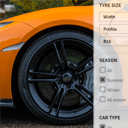
View plugin details ↗The best Tyre Product Filter help shoppers find tyres on your Woo shop. Filter tyres by size, season, car type and tyre brand.
★ 5.0/5 (2)200+ active installations
- Version
- 1.4.28
- WordPress
- 4.7+
- PHP
- 7.4+
- Updated
- 16 Sep 2026
View plugin details ↗Add sleek smooth scrolling to your site for seamless content navigation, enhancing user interaction.🖱️
★ 5.0/5 (3)900+ active installations
- Version
- 2.0.0
- WordPress
- 6.0+
- PHP
- 7.4+
- Updated
- 9 Jul 2026
View plugin details ↗Make your WooCommerce emails become professional.
★ 4.6/5 (105)20,000+ active installations
- Version
- 1.3.6
- WordPress
- 6.2+
- PHP
- 7.4+
- Updated
- 6 Nov 2026
View plugin details ↗Display your WooCommerce products in a responsive Product Slider, Product Carousel, or Product Grid Gallery with easy customization.
★ 4.7/5 (281)20,000+ active installations
- Version
- 2.9.2
- WordPress
- 5.3+
- PHP
- 7.0+
- Updated
- 9 Nov 2026
View plugin details ↗Showcase variations and impress your customers with beautiful swatches such as color, button, image, and more.
★ 4.7/5 (76)10,000+ active installations
- Version
- 1.1.21
- WordPress
- 6.0+
- PHP
- 7.4+
- Updated
- 6 Nov 2026
View plugin details ↗Easily import/manage your tracking numbers, add tracking numbers to PayPal and send email notifications to customers.
★ 4.5/5 (58)10,000+ active installations
- Version
- 1.3.4
- WordPress
- 6.0+
- PHP
- 7.4+
- Updated
- 6 Nov 2026
View plugin details ↗