Flexible FAQs plugin for WordPress. Create unlimited FAQs easily via a drag and drop interface. Includes predefined themes for your FAQs.
★ 3.0/5 (2)40+ active installations
- Version
- 0.6.0
- WordPress
- 6.0+
- PHP
- 7.4+
- Updated
- 11 Aug 2026
View plugin details ↗Create stunning alerts, tips, notifications, warnings, and callout boxes in seconds. Perfect for tutorials, documentation, and much more.
★ 5.0/5 (2)70+ active installations
- Version
- 3.2.3
- WordPress
- 6.9+
- PHP
- 8.0+
- Updated
- 7 Nov 2026
View plugin details ↗Easily add tracking code snippets, conversion pixels, or other scripts required by third party services for analytics, marketing, or chat features.
★ 4.9/5 (309)600,000+ active installations
- Version
- 1.1.46
- WordPress
- 4.9+
- PHP
- 5.6.20+
- Updated
- 15 Jul 2026
View plugin details ↗Real-time private messaging, group chat, chat rooms, video and audio calls, AI chat bots and mobile apps for WordPress, BuddyPress and BuddyBoss.
★ 4.8/5 (142)10,000+ active installations
- Version
- 3.3.0
- WordPress
- 5.9.0+
- PHP
- 7.4+
- Updated
- 14 Nov 2026
View plugin details ↗An email marketing tool for your blog: subscription forms to create your lists with unlimited subscribers and newsletters.
★ 4.6/5 (1,205)200,000+ active installations
- Version
- 9.5.7
- WordPress
- 6.1+
- PHP
- 7.0+
- Updated
- 12 Nov 2026
View plugin details ↗The #1 eCommerce plugin to sell digital products & subscriptions. Accept payments with Stripe & PayPal. Sell ebooks, software & more.
★ 4.7/5 (594)40,000+ active installations
- Version
- 3.7.3
- WordPress
- 6.7+
- PHP
- 8.0+
- Updated
- 2 Nov 2026
View plugin details ↗file manager provides you ability to edit, delete, upload, download, copy and paste files and folders.
★ 4.6/5 (1,493)1,000,000+ active installations
- Version
- 8.0.7
- WordPress
- 4.0+
- PHP
- 5.2.4+
- Updated
- 30 Oct 2026
View plugin details ↗
By Weblizar - WordPress Themes & Plugin
Display Blog Authors Information In Style you can publish blog users profile into any Page or Post in your WordPress sites.
★ 4.4/5 (5)200+ active installations
- Version
- 1.7.0
- Updated
- 11 Sep 2026
View plugin details ↗MAS Static Content is a free plugin that allows you to to create a custom post type static content and use it with shortcode.
★ 5.0/5 (1)10,000+ active installations
- Version
- 1.1.3
- WordPress
- 7.1+
- PHP
- 7.4+
- Updated
- 30 Sep 2026
View plugin details ↗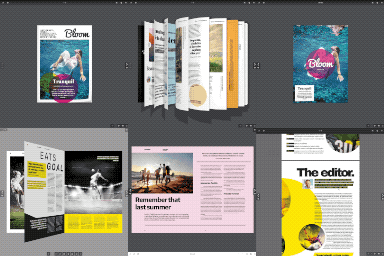
By creativeinteractivemedia
Turn a PDF or images into a realistic 3D flipbook – no watermark, no page limits. Embed with a block or shortcode: a page-flip PDF viewer.
★ 4.5/5 (11)10,000+ active installations
- Version
- 5.9
- WordPress
- 5.0+
- Updated
- 17 Nov 2026
View plugin details ↗Convert WPBakery Page Builder shortcodes to native Gutenberg blocks, one page at a time.
★ 3.0/5 (2)30+ active installations
- Version
- 1.0.4
- WordPress
- 6.0+
- PHP
- 7.4+
- Updated
- 20 Aug 2026
View plugin details ↗Add a sitemap on any of your page using the simple shortcode [wp_sitemap_page]. Improve the SEO and navigation of your website.
★ 4.8/5 (205)200,000+ active installations
- Version
- 1.9.6
- WordPress
- 3.0+
- Updated
- 21 Aug 2026
View plugin details ↗