

Export/import a post or page with every ACF field as a portable JSON file.
10+ active installations
- Version
- 1.0.2
- WordPress
- 6.0+
- PHP
- 8.0+
- Updated
- 13 Aug 2026
WORDPRESS RESOURCES
Explore public plugin information from the official WordPress.org directory. Compare what a plugin does, its requirements and update history before adding it to your website.
Explore WordPress hosting →3,554 matching plugins reported by WordPress.org · Page 30 of 50
Source: WordPress.org
Data refreshed 21 Nov 2026 16:43 UTC
Export/import a post or page with every ACF field as a portable JSON file.
Manage WooCommerce subscriptions & memberships with Stripe payments, subscription box, customer portal, one-time subscriptions, recurring billing

By Close·technology
Connect WooCommerce with multiple ERPs/CRMs at once. Instant product sync via webhooks. Products, clients, orders. EU VAT and Verifactu.

Advanced WordPress automation plugin to connect forms, CRM, eCommerce, LMS, Google Sheets, Mailchimp, ChatGPT and 320+ platforms.
Recover lost revenue with Cart Abandonment Recovery for WooCommerce. Increase retention with Post Purchase Follow-Up Emails.
By Roland Murg
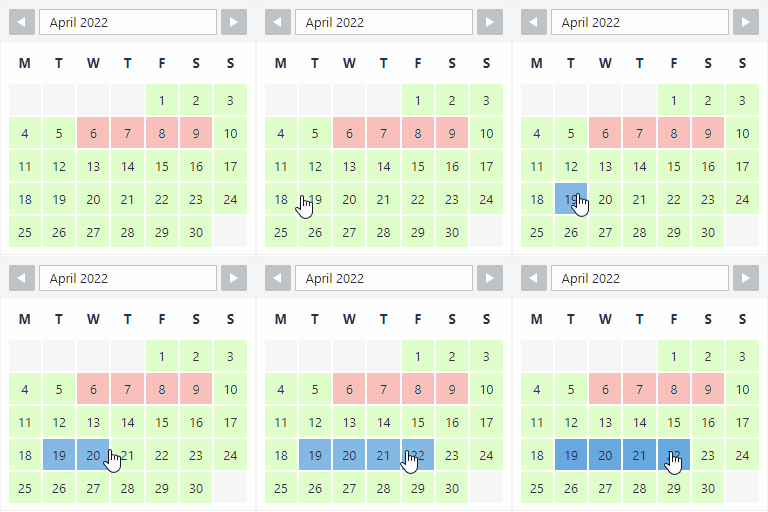
The booking calendar plugin for WordPress. Get easy online booking with this lightweight and powerful booking calendar.

By morehawes
Create beautiful, interactive Maps with Waymark.

By Nelio Software
WordPress editorial calendar and social media auto-posting plugin. Schedule posts, share to social networks, and streamline content workflows.

By VillaTheme
Engage customers while collecting their email address with a well-designed popup. Optionally reward them with coupons.
Gutenify is a free WordPress plugin with 40+ Gutenberg blocks and ready-made starter templates for building your site visually, without code.

By Wetail
Synchronizes all customers, products and orders from WooCommerce to Fortnox. Saves you both sweat and hours of work.

By Manuel Camargo
Attach a GPX track to any post or page and render it as an interactive OpenStreetMap map with waypoints, distance and an elevation profile.
CHOOSE WHAT YOUR WEBSITE NEEDS
Start with the task you need to solve. Compare features, WordPress and PHP requirements, update history and the author’s documentation. Test changes on a private copy and avoid adding several plugins for the same job.
This independent directory displays plugin information on WebFulHost and links to the official source. Packages are not mirrored or installed here. A plugin can include paid extensions or services with separate terms from its author.


