Go multilingual in a simple and efficient way. Keep writing posts and taxonomy terms as usual while defining their languages all at once.
★ 4.7/5 (3,011)900,000+ active installations
- Version
- 3.9.2
- WordPress
- 6.8+
- PHP
- 7.4+
- Updated
- 9 Nov 2026
View plugin details ↗WP Travel Engine – Elementor Widgets provides 20+ Elementor widgets to create travel and tour booking websites using WP Travel Engine and Elementor.
10,000+ active installations
- Version
- 1.5.5
- WordPress
- 5.0+
- PHP
- 7.4+
- Updated
- 9 Sep 2026
View plugin details ↗Real-time private messaging, group chat, chat rooms, video and audio calls, AI chat bots and mobile apps for WordPress, BuddyPress and BuddyBoss.
★ 4.8/5 (142)10,000+ active installations
- Version
- 3.3.0
- WordPress
- 5.9.0+
- PHP
- 7.4+
- Updated
- 14 Nov 2026
View plugin details ↗Add structured data to any page or post type. Create an SEO friendly contact card with your business info and associated schema.
★ 4.8/5 (52)7,000+ active installations
- Version
- 2.5.0
- WordPress
- 5.3+
- Updated
- 22 Oct 2026
View plugin details ↗See what visitors search for on your site and which searches come up empty. Popular search terms and statistics, stored in your own database.
★ 5.0/5 (30)3,000+ active installations
- Version
- 1.6.3
- WordPress
- 4.7+
- PHP
- 5.6+
- Updated
- 21 Nov 2026
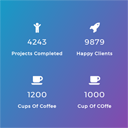
View plugin details ↗Counter Number WordPress Plugin brings you all the powerful Stats Counter features to your wordpress website
★ 4.6/5 (190)10,000+ active installations
- Version
- 1.4.0
- WordPress
- 5.0+
- Updated
- 26 Dec 2024
View plugin details ↗Add and reorder tabs in AffiliateWP's Affiliate Area
★ 5.0/5 (1)3,000+ active installations
- Version
- 1.4.4
- WordPress
- 5.2+
- PHP
- 7.4+
- Updated
- 27 Oct 2026
View plugin details ↗Internal links & external links manager: open in new window or tab, control nofollow, ugc, sponsored & noopener. SEO friendly.
★ 4.3/5 (247)80,000+ active installations
- Version
- 2.66
- WordPress
- 4.2+
- PHP
- 7.2+
- Updated
- 16 Aug 2026
View plugin details ↗WP fail2ban uses fail2ban to protect your WordPress site.
★ 4.2/5 (71)60,000+ active installations
- Version
- 5.5.1
- WordPress
- 5.3+
- PHP
- 7.4+
- Updated
- 12 Nov 2026
View plugin details ↗Easily show or hide any WordPress block. Schedule block visibility. Restrict blocks to specific screen sizes, user roles, post types, and more.
★ 4.9/5 (108)40,000+ active installations
- Version
- 3.8.1
- WordPress
- 6.6+
- PHP
- 7.4+
- Updated
- 18 Sep 2026
View plugin details ↗Arconix Shortcodes provides a number of useful design elements like buttons, boxes, tabs and toggles to help compliment any website.
★ 4.6/5 (24)3,000+ active installations
- Version
- 2.2.1
- WordPress
- 4.3+
- Updated
- 30 Jul 2026
View plugin details ↗Lightweight preloader and loading screen for WordPress. Pick a free CSS template or your own GIF or PNG, set it up in 3 steps.
★ 4.1/5 (41)10,000+ active installations
- Version
- 2.1
- WordPress
- 6.0+
- PHP
- 7.4+
- Updated
- 4 Nov 2026
View plugin details ↗