Responsive Block Controls
By Specia1ne
Add responsive layout and spacing controls to native Gutenberg blocks — no custom blocks or builder lock-in.
50+ active installations
- Version
- 2.0.0
- WordPress
- 6.4+
- PHP
- 7.4+
- Updated
- 7 Nov 2026
WORDPRESS RESOURCES
Explore public plugin information from the official WordPress.org directory. Compare what a plugin does, its requirements and update history before adding it to your website.
Explore WordPress hosting →9,873 matching plugins reported by WordPress.org · Page 30 of 50
Source: WordPress.org
Data refreshed 21 Nov 2026 14:29 UTC
By Specia1ne
Add responsive layout and spacing controls to native Gutenberg blocks — no custom blocks or builder lock-in.
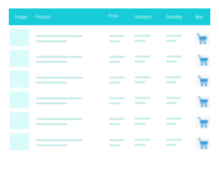
A truly lightweight, EASY to use and super FAST WooCommerce product table solution to add multiple products to cart at once.
Easily save contact form data, apply conditional logic in the fields and redirect to any page after contact form submission.
Saves Contact Form 7, WPforms,Elementor Forms, CRM Perks Forms and many other contact form submissions to database.

By keesiemeijer
Display a list of related posts on your site based on the most terms in common. Supports thumbnails, shortcodes, a widget and more.

By Katsushi Kawamori
Add a fixed menu. The basic menu is at the bottom, but it can also be displayed on the top, left, and right.

By Pratik Chaskar
A very easy to use plugin to hide content automatically after given time. Its purely PHP based plugin, so it removes content from source as well.

By theme funda
Product Table, Grid, List Builder For WooCommerce lets you build unlimited, reusable product displays for your WooCommerce store — no coding required.

By codepeople
A powerful and flexible WordPress event calendar plugin that lets you display your events in multiple calendar views, just like Google Calendar.
Create responsive image and content carousels in Gutenberg. Captions, autoplay, effects, navigation – build elegant sliders with no code.

By apasionados
Adds a sortable column to the posts and pages admin list with the word count of each page/post.
Show customer testimonials and reviews with photos, star ratings and company details in a testimonial slider or grid. No coding needed.
CHOOSE WHAT YOUR WEBSITE NEEDS
Start with the task you need to solve. Compare features, WordPress and PHP requirements, update history and the author’s documentation. Test changes on a private copy and avoid adding several plugins for the same job.
This independent directory displays plugin information on WebFulHost and links to the official source. Packages are not mirrored or installed here. A plugin can include paid extensions or services with separate terms from its author.