
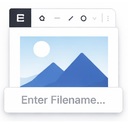
Name pasted images and set media metadata before upload in the WordPress block editor, then insert an Image block.
0+ active installations
- Version
- 1.0.1
- WordPress
- 5.9+
- PHP
- 7.4+
- Updated
- 10 Jul 2026
WORDPRESS RESOURCES
Explore public plugin information from the official WordPress.org directory. Compare what a plugin does, its requirements and update history before adding it to your website.
Explore WordPress hosting →2,236 matching plugins reported by WordPress.org · Page 30 of 50
Source: WordPress.org
Data refreshed 24 Nov 2026 08:10 UTC
Name pasted images and set media metadata before upload in the WordPress block editor, then insert an Image block.

By dadsfam
Reliable, resumable WordPress backups — full database and files, scheduled or on-demand, with one-click restore. Honest freemium.

By easyagent
An AI assistant that learns your site, answers visitors around the clock, captures leads and shows you the results inside wp-admin.

By Berkay Yavuz
Let customers check if your product is genuine: print a unique code or QR label on each item, buyers verify it on your site in seconds.

By elephancube
A floating "Ask AI" button that hands the visitor's question and your site URL to ChatGPT, Claude or Google AI Mode in a new tab.

By Oleksandr
Diagnostic-only scanner for WooCommerce orders where payment signals and order status may not match.

By intufind
Replace your search with AI that understands natural language. Chat assistant, smart recommendations, and WooCommerce support. No API keys needed.

By Ayman Abdullah
Create editor-curated reader highlights with independent key-point text and optional links to selected H2 or H3 sections.

By jhon990
Manage and display coupon codes and discount deals on your site, with expiry tracking, copy-to-clipboard buttons, and usage stats.
Custom product tabs for WooCommerce: unlimited tabs per product, a shared tab library, standard tabs renamed or hidden, one-click import from YIKES.

By powersuite
155 WordPress modules: 90 free in this plugin, plus 65 in the separate Pro add-on. Tools for admin, content, media, login, and email.

By Lars Ledin
An easy and professional way to organize and schedule arena activities.
CHOOSE WHAT YOUR WEBSITE NEEDS
Start with the task you need to solve. Compare features, WordPress and PHP requirements, update history and the author’s documentation. Test changes on a private copy and avoid adding several plugins for the same job.
This independent directory displays plugin information on WebFulHost and links to the official source. Packages are not mirrored or installed here. A plugin can include paid extensions or services with separate terms from its author.
