

Auto-Close keeps your site clean by automatically closing comments, pingbacks, and trackbacks—so you can focus on content, not cleanup.
★ 5.0/5 (2)200+ active installations
- Version
- 3.2.3
- WordPress
- 6.6+
- PHP
- 7.4+
- Updated
- 21 Nov 2026
WORDPRESS RESOURCES
Explore public plugin information from the official WordPress.org directory. Compare what a plugin does, its requirements and update history before adding it to your website.
Explore WordPress hosting →5,133 matching plugins reported by WordPress.org · Page 30 of 50
Source: WordPress.org
Data refreshed 23 Nov 2026 21:36 UTC
Auto-Close keeps your site clean by automatically closing comments, pingbacks, and trackbacks—so you can focus on content, not cleanup.
Send beautiful newsletters from WordPress. Collect subscribers with signup forms, automate your emails for WooCommerce, blog post notifications & more

By robfelty
Adds a widget which uses Javascript to dynamically expand or collapse the set of posts for each category.

By mochimochihesoo
This plugin makes it possible to exclude specified dates from welcart's delivery request date.

By Obtain Infotech
Copy/Update posts and pages from one site (blog) to the other sites (blogs) in your WordPress Multisite Network.

By Jonathan de Jong
Supercharge your custom post type archives by letting visitors filter posts by their terms/categories. This plugin handles the whole thing for you!

By fifu.app
Use external image URLs for WordPress featured images and WooCommerce product images. No uploads required. FIFU PRO adds videos and galleries.

By WP Overnight
Automatically add a bulk or quick order form to your WooCommerce site with a single shortcode.

Calculated Fields Form: complete WordPress form builder for contact,booking,quote,payment forms & more,with built-in dynamic calculation capabilities.
By add-ons.org
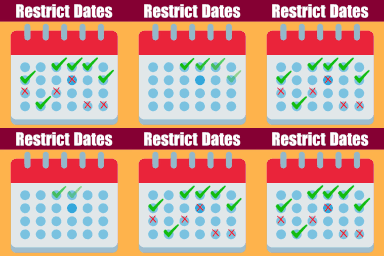
Restrict Dates is a Elementor Forms add-on that restricts users from selecting specific dates in your Elementor Forms date picker field.

By goaffpro
The complete affiliate marketing solution for your WordPress and WooCommerce website.
Add product descriptions to your WooCommerce Shop, Category and Archive pages.
CHOOSE WHAT YOUR WEBSITE NEEDS
Start with the task you need to solve. Compare features, WordPress and PHP requirements, update history and the author’s documentation. Test changes on a private copy and avoid adding several plugins for the same job.
This independent directory displays plugin information on WebFulHost and links to the official source. Packages are not mirrored or installed here. A plugin can include paid extensions or services with separate terms from its author.

