

Get more shares on social: add one-click shareable quote boxes to any post so readers can share your best lines on Social Media in one click.
★ 4.8/5 (48)6,000+ active installations
- Version
- 6.0.1
- WordPress
- 3.8+
- Updated
- 3 Sep 2026
WORDPRESS RESOURCES
Explore public plugin information from the official WordPress.org directory. Compare what a plugin does, its requirements and update history before adding it to your website.
Explore WordPress hosting →825 matching plugins reported by WordPress.org · Page 30 of 50
Source: WordPress.org
Data refreshed 19 Nov 2026 10:24 UTC
Get more shares on social: add one-click shareable quote boxes to any post so readers can share your best lines on Social Media in one click.

By Matthias Pfefferle
Send and receive Webmentions in WordPress.

By Vikas Sharma
Show Visitor IP - Simply display visitor IP Address & visitor another location info using by IP on post or page, anywhere using shortcode.

By Rustaurius
Restaurant reviews made easy. Add and display reviews on your restaurant site using SEO friendly schema markup.

By firstfivemin
An AI receptionist for your site: new leads reach you first, and when you can't take them they get a call back and a booking.

By dibspayment
Accept payments via Nexi Checkout (formerly Nets Easy) in WooCommerce with cards, Vipps, MobilePay, Klarna and more.

By Gustavo Bordoni
FakerPress is a clean way to generate fake and dummy content to your WordPress, great for developers who need testing
By Evan Herman
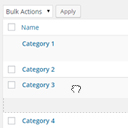
Quickly and easily reorder taxonomy terms with an easy to use and intuitive drag and drop interface.

By scossar
This plugin allows you to use Discourse as a community engine for your WordPress website. The plugin is not a substitute for Disqus type commenting sy …

By WP Lab
List products from WordPress on Amazon.

By Mortgage Calculator
Responsive mortgage calculator widget and shortcode with amortization schedule and chart. Monthly, bi-weekly or weekly payments. Free.

By Hesham Zebida
Get the next generation of Schema Structured Data to enhance your WordPress site presentation in Google search results.
CHOOSE WHAT YOUR WEBSITE NEEDS
Start with the task you need to solve. Compare features, WordPress and PHP requirements, update history and the author’s documentation. Test changes on a private copy and avoid adding several plugins for the same job.
This independent directory displays plugin information on WebFulHost and links to the official source. Packages are not mirrored or installed here. A plugin can include paid extensions or services with separate terms from its author.