Send newsletters to users, commenters, or an imported mailing list (CSV/XLSX/paste) with SMTP, templates, queue sending, logs, and unsubscribe.
★ 5.0/5 (3)20+ active installations
- Version
- 2.6.2
- WordPress
- 5.8+
- PHP
- 7.4+
- Updated
- 13 Aug 2026
View plugin details ↗Free team chat for WordPress dashboards, with private rooms and messages stored in your site's database.
★ 4.6/5 (12)20+ active installations
- Version
- 2.1.2
- WordPress
- 6.9+
- PHP
- 8.2+
- Updated
- 20 Nov 2026
View plugin details ↗Prevent broken layouts and missing styles on Elementor sites caused by aggressive page caching, CDNs, or background cache flushes.
60+ active installations
- Version
- 2.1.1
- WordPress
- 5.8+
- PHP
- 7.4+
- Updated
- 22 Jun 2026
View plugin details ↗AI-powered WordPress media management with intelligent unused media detection and enterprise security. Transform your cleanup workflow!
60+ active installations
- Version
- 1.7.1
- WordPress
- 5.0+
- PHP
- 7.4+
- Updated
- 28 Oct 2026
View plugin details ↗All-in-one admin toolkit: custom login URL, limit login attempts, duplicate posts, hide admin bar, disable comments, page cache and security headers.
★ 3.3/5 (3)200+ active installations
- Version
- 2.4.2
- WordPress
- 5.9+
- PHP
- 7.4+
- Updated
- 21 Oct 2026
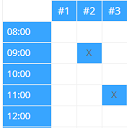
View plugin details ↗Create configurable occupancy schedules and let visitors view, request and manage bookings directly in the WordPress frontend.
★ 5.0/5 (5)100+ active installations
- Version
- 1.7.0
- WordPress
- 4.9+
- PHP
- 5.3+
- Updated
- 6 Nov 2026
View plugin details ↗
By NHS College of Leadership and Management Digital Team
A plugin to enhance performance on sites running the Nightingale theme
300+ active installations
- Version
- 1.3.10
- WordPress
- 6.4+
- PHP
- 8.2+
- Updated
- 12 Nov 2026
View plugin details ↗Page caching, unused CSS removal, and Cloudflare Free edge caching that never caches a cart or checkout. Everything runs on your own server.
★ 5.0/5 (1)10+ active installations
- Version
- 1.3.8
- WordPress
- 6.6+
- PHP
- 8.1+
- Updated
- 12 Nov 2026
View plugin details ↗The free WordPress caching plugin: server-level full page cache on NGINX, Apache or LiteSpeed, plus Redis object cache and Cloudflare.
4,000+ active installations
- Version
- 1.3.0
- WordPress
- 5.9+
- PHP
- 8.0+
- Updated
- 16 Nov 2026
View plugin details ↗Rank higher and load faster with live SEO audits, schema, caching, image optimisation, internal links, and AI search tools.
★ 5.0/5 (1)10+ active installations
- Version
- 1.7.2
- WordPress
- 6.8+
- PHP
- 8.2+
- Updated
- 20 Nov 2026
View plugin details ↗Lightweight WordPress hardening — file integrity monitoring, two-factor authentication, login protection, security headers and privacy.
★ 5.0/5 (1)30+ active installations
- Version
- 1.11.0
- WordPress
- 5.7+
- PHP
- 7.4+
- Updated
- 2 Oct 2026
View plugin details ↗Notify on every post change: Flexible rules, custom placeholders and support for all post types and taxonomies.
★ 3.9/5 (17)700+ active installations
- Version
- 1.13.1
- WordPress
- 5.5+
- PHP
- 8.1+
- Updated
- 29 May 2026
View plugin details ↗