Beautifully lightweight, mobile & tablet responsive Product Widget Slider for WooCommerce plugin that packs a powerful marketing punch
★ 2.2/5 (6)200+ active installations
- Version
- 2.3.2
- WordPress
- 6.0+
- Updated
- 9 Jul 2026
View plugin details ↗Radio Station lets you build and manage a Show Schedule for a radio station or Internet broadcaster's WordPress website.
★ 4.6/5 (30)1,000+ active installations
- Version
- 2.7.1
- WordPress
- 3.3.1+
- Updated
- 28 Jun 2026
View plugin details ↗Plugin adds fancy Facebook Page Plugin (formerly Like Box) slider (slide on hover).
★ 4.6/5 (18)1,000+ active installations
- Version
- 2.1.17
- WordPress
- 3.0+
- Updated
- 8 Jun 2022
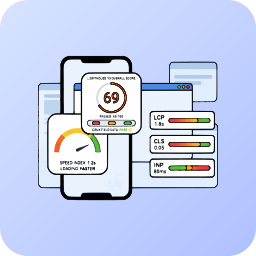
View plugin details ↗Monitor and improve your Core Web Vitals (LCP, CLS, INP) using professional Lighthouse 10 analysis, completely managed via the Mega Plugin Hub.
0+ active installations
- Version
- 2.1.0
- WordPress
- 6.0+
- PHP
- 7.4+
- Updated
- 14 Sep 2026
View plugin details ↗Plugin adds fancy Facebook Page Plugin (formerly Like Box) Sidebox.
★ 4.4/5 (7)600+ active installations
- Version
- 2.1.17
- WordPress
- 3.0+
- Updated
- 9 Jun 2022
View plugin details ↗Floating WhatsApp and Telegram contact buttons for WordPress with click-to-chat, CTA bubbles, layout controls, micro-sounds, and page tools.
0+ active installations
- Version
- 1.7.6
- WordPress
- 6.0+
- PHP
- 7.4+
- Updated
- 1 Oct 2026
View plugin details ↗A responsive carousel block built with Embla Carousel and the WordPress Interactivity API. Works with any block in the editor.
★ 4.0/5 (2)90+ active installations
- Version
- 3.1.0
- WordPress
- 6.5+
- PHP
- 7.4+
- Updated
- 27 Aug 2026
View plugin details ↗Hide admin notices in one clean popup. Notice Vault collects dashboard notifications so you can read, organize and dismiss notices on your own terms.
★ 5.0/5 (1)200+ active installations
- Version
- 1.0.6
- WordPress
- 6.4+
- PHP
- 7.2+
- Updated
- 1 Sep 2026
View plugin details ↗Turn curated content into stunning galleries, carousels, and grids on your WordPress site.
★ 5.0/5 (4)10+ active installations
- Version
- 5.6.7
- WordPress
- 6.0+
- PHP
- 8.0+
- Updated
- 2 Oct 2026
View plugin details ↗Connects property information to any WordPress site to help market your apartments. Supports data feeds from: Yardi RentCafe, Entrata, RealPage, and m …
100+ active installations
- Version
- 7.16.0
- WordPress
- 5.8+
- PHP
- 7.2+
- Updated
- 27 Aug 2026
View plugin details ↗Lazy load iframes.
★ 5.0/5 (3)10+ active installations
- Version
- 1.0.0
- WordPress
- 4.7.0+
- PHP
- 5.4+
- Updated
- 29 Nov 2019
View plugin details ↗Automatically adds Lightbox functionality to images and videos without the need to set the link to media file manually one by one.
10+ active installations
- Version
- 1.0.0
- WordPress
- 5.8+
- PHP
- 7.4+
- Updated
- 13 Jun 2023
View plugin details ↗