

Ultimate Reviews
By Rustaurius
Collect and display reviews with blocks or shortcodes. Includes powerful WooCommerce and AI features.
★ 4.1/5 (60)400+ active installations
- Version
- 3.4.0
- WordPress
- 5.0+
- PHP
- 7.4+
- Updated
- 23 Nov 2026
WORDPRESS RESOURCES
Explore public plugin information from the official WordPress.org directory. Compare what a plugin does, its requirements and update history before adding it to your website.
Explore WordPress hosting →3,188 matching plugins reported by WordPress.org · Page 30 of 50
Source: WordPress.org
Data refreshed 25 Nov 2026 11:13 UTC
By Rustaurius
Collect and display reviews with blocks or shortcodes. Includes powerful WooCommerce and AI features.

By QuickSync
WooCommerce inventory sync for Shopify, Etsy, eBay, Amazon and more. Update products and bring supported orders into one place.

By geotargetly
Change content based on visitor geolocation (country, state, city, lat/lng/radius)
Add a marquee, news ticker, logo carousel or scrolling post slider in Elementor or the block editor. 8 widgets, 5 blocks, lightweight CSS animation.

By hashthemes
Hash Form Builder is a free drag & drop form builder for WordPress. Build contact forms, surveys, quotes and bookings with no code.

By docswrite
Effortlessly publish Google Docs to WordPress, preserving formatting and structure for a streamlined content workflow

By Christian
A simple, GDPR compliant Google Analytics alternative.

By Luiz Mariano
Send automatic WhatsApp messages to WooCommerce customers. Order notifications, abandoned cart, PIX, tracking and WhatsApp button.

By Brilliant Directories
Seamlessly migrate WordPress blog posts to Brilliant Directories with the 'Export Posts to Brilliant Directories' plugin.
Client & website feedback for WordPress: pin comments and suggest edits on the live page, no login. Resolve in Bricks, Elementor or Gutenberg.
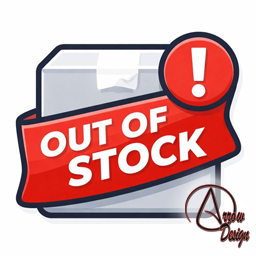
By Arrow Design
Add a clear, customisable Out of Stock badge to WooCommerce products.
Accept Interac e-Transfer payments in WooCommerce with clear instructions, optional discounts, and static or dynamic secret answers.
CHOOSE WHAT YOUR WEBSITE NEEDS
Start with the task you need to solve. Compare features, WordPress and PHP requirements, update history and the author’s documentation. Test changes on a private copy and avoid adding several plugins for the same job.
This independent directory displays plugin information on WebFulHost and links to the official source. Packages are not mirrored or installed here. A plugin can include paid extensions or services with separate terms from its author.


