Advanced Timeline Block
By Binsaifullah
Advanced Timeline Block is a lightweight, responsive Gutenberg timeline block for WordPress.
★ 5.0/5 (9)500+ active installations
- Version
- 3.0.1
- WordPress
- 6.6+
- PHP
- 7.4+
- Updated
- 21 Nov 2026
WORDPRESS RESOURCES
Explore public plugin information from the official WordPress.org directory. Compare what a plugin does, its requirements and update history before adding it to your website.
Explore WordPress hosting →2,058 matching plugins reported by WordPress.org · Page 30 of 50
Source: WordPress.org
Data refreshed 24 Nov 2026 19:05 UTC
By Binsaifullah
Advanced Timeline Block is a lightweight, responsive Gutenberg timeline block for WordPress.
A lightweight plugin to add private admin-only notes to posts, pages, products and on any custom post types.

By Milan Petrovic
Enhanced and powerful search for bbPress powered forums, with options to filter results by various criteria.
Grow your audience on Facebook, Instagram, Twitter, and more, while engaging customers instantly through WhatsApp, Messenger, Telegram, Viber, and doz …

Display posts in Grid, Carousel, Slider, Timeline, List & Live Filter layouts with Gutenberg Blocks & Ready Patterns - Elementor, Divi, & Shortcodes.
Free Theme Builder For Elementor – header, footer, posts and archives, plus starter templates and whole websites to import. No Elementor Pro needed.

By Artem Semkin
Pinned horizontal scroll sections for Elementor. Panels are real Containers you design inline – no templates or shortcodes. CSS-driven, responsive.

By Syed Barekul Islam
Floating or inline social and contact icons for any WordPress site — no code, live Customizer preview.

By hamidjafari31
Floating contact button and sticky mobile bar for Persian and RTL sites, with Bale, WhatsApp, Telegram, Instagram, phone and map links.
Add icon, responsive spacing, typography, alignment, shadow, transform, transition, color, hover style to blocks. Lightweight, fast, and clean.

By Globaldev
Add a customizable floating call-to-action button to the left or right side of your WordPress website.
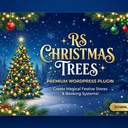
Decorate your WordPress site with festive Christmas trees, holiday garlands, festive header & footer banners, and animated falling snow effects.
CHOOSE WHAT YOUR WEBSITE NEEDS
Start with the task you need to solve. Compare features, WordPress and PHP requirements, update history and the author’s documentation. Test changes on a private copy and avoid adding several plugins for the same job.
This independent directory displays plugin information on WebFulHost and links to the official source. Packages are not mirrored or installed here. A plugin can include paid extensions or services with separate terms from its author.