

Tell your WordPress site what to do in Slack or Telegram. Your AI agent makes the change, checks the page and reports back. Free to start.
0+ active installations
- Version
- 0.11.5
- WordPress
- 5.6+
- PHP
- 7.4+
- Updated
- 18 Nov 2026
WORDPRESS RESOURCES
Explore public plugin information from the official WordPress.org directory. Compare what a plugin does, its requirements and update history before adding it to your website.
Explore WordPress hosting →552 matching plugins reported by WordPress.org · Page 31 of 46
Source: WordPress.org
Data refreshed 23 Nov 2026 18:48 UTC
Tell your WordPress site what to do in Slack or Telegram. Your AI agent makes the change, checks the page and reports back. Free to start.

By Tom Birdy
Add Telegram live chat to your WordPress site. This plugin has voice to text feature.

By clientshelp
Install the Clients.Help widget, answer visitors from WordPress admin, route voice messages, connect Telegram, and pass WooCommerce product context.

By DamaSoft
Send WooCommerce order updates through your own WhatsApp or Telegram gateway, with queues, retries and delivery logs.
Sector-aware messaging connector for WooCommerce and WordPress service catalogs. Automated order alerts, COD verification, and AI catalog sync.

By CatCode
Sends leads from your site forms to KeyCRM, SalesDrive, NetHunt, KeepinCRM and Telegram. No WooCommerce needed.
By moayyed alharthi
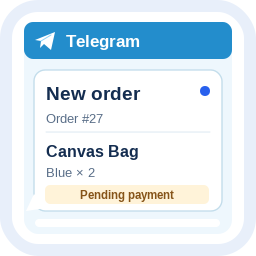
Send clear WooCommerce order summaries to your team through your own Telegram bot, with background delivery and privacy controls.
An AI chatbot that answers only from your own pages and products, says so when it doesn't know, and turns every unanswered question into a lead.

By Maghzewp (Milad Ranjbari)
Integrate WhatsApp & Telegram experience directly into your WordPress website.

By Appsfruit
Professional Elementor widgets for conversion optimization. Includes 7 free widgets. Premium widgets available separately at relayout.in.

By Hadi Shiri
Advanced WooCommerce customer & order management with SMS/email campaigns, templates, import/export, and role manager.
Mobile QR code ticket generator, browser camera check-in scanner, and instant Telegram alerts for WooCommerce events.
CHOOSE WHAT YOUR WEBSITE NEEDS
Start with the task you need to solve. Compare features, WordPress and PHP requirements, update history and the author’s documentation. Test changes on a private copy and avoid adding several plugins for the same job.
This independent directory displays plugin information on WebFulHost and links to the official source. Packages are not mirrored or installed here. A plugin can include paid extensions or services with separate terms from its author.


