

Gridable
By pixelgrade
Gridable adds row and column layout controls to the WordPress Classic Editor.
★ 2.9/5 (10)3,000+ active installations
- Version
- 1.2.12
- WordPress
- 5.9.0+
- PHP
- 7.4+
- Updated
- 26 Aug 2026
WORDPRESS RESOURCES
Explore public plugin information from the official WordPress.org directory. Compare what a plugin does, its requirements and update history before adding it to your website.
Explore WordPress hosting →1,074 matching plugins reported by WordPress.org · Page 31 of 50
Source: WordPress.org
Data refreshed 23 Nov 2026 23:20 UTC
By pixelgrade
Gridable adds row and column layout controls to the WordPress Classic Editor.
By Kirtikumar Solanki
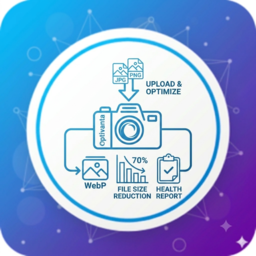
Optimize and analyze your WordPress images with local compression, WebP conversion, image health reports, optimization statistics, and no external API …

By segaflash
Automatically compress JPEG, PNG and GIF images on upload. Bulk optimize your media library, keep backups, and track savings per image.
Display list of posts, pages or any custom post types anywhere using block and widget. Show as grid, list or posts slider.

By Flex Plugins
Regenerate thumbnails, generate WebP/AVIF, allow sanitized SVG uploads, and compress images on your own server.
Page caching that works the moment you activate it, plus one-click speed tuning. Runs on shared hosting without editing wp-config.php.
Build a modern online community in WordPress: spaces, social feeds, discussion forum, events, polls, member profiles, chat and support tickets.

By mlaza
Add spectacular mobile-friendly projectors of jAlbum albums on your WordPress site.

By W3ctrl Services
Optimize JPEG, PNG, and WebP locally. Resize, WebP/AVIF, backups, bulk processing, and WP-CLI — no remote API.

By NinjaWeb
Free local image optimizer. No API, credits, or CDN. Bulk optimize, WebP, backups, restore, and used-image queues.
Completely plugins Ultimate Bootstrap Elements for Elementor. Enhance your Elementor page building experience with Bootstrap Components and many other …

By stackcroft
Edit and refine WordPress images for free. Optional Pro adds bulk editing, campaign templates and product workflows.
CHOOSE WHAT YOUR WEBSITE NEEDS
Start with the task you need to solve. Compare features, WordPress and PHP requirements, update history and the author’s documentation. Test changes on a private copy and avoid adding several plugins for the same job.
This independent directory displays plugin information on WebFulHost and links to the official source. Packages are not mirrored or installed here. A plugin can include paid extensions or services with separate terms from its author.



