

Show client logos and WooCommerce brand logos in a responsive logo slider, carousel, grid or flexbox layout, with a Gutenberg block or shortcode.
★ 4.5/5 (61)10,000+ active installations
- Version
- 6.5.1
- WordPress
- 5.8+
- PHP
- 7.4+
- Updated
- 20 Nov 2026
WORDPRESS RESOURCES
Explore public plugin information from the official WordPress.org directory. Compare what a plugin does, its requirements and update history before adding it to your website.
Explore WordPress hosting →10,000 matching plugins reported by WordPress.org · Page 31 of 50
Source: WordPress.org
Data refreshed 22 Nov 2026 00:41 UTC
Show client logos and WooCommerce brand logos in a responsive logo slider, carousel, grid or flexbox layout, with a Gutenberg block or shortcode.

Free WP Mail SMTP plugin. Fix WordPress email deliverability with Gmail, Amazon SES, SendGrid, Mailgun, Postmark, Cloudflare, Brevo or any SMTP.

By Adrian Emil Tudorache
Order Tip for WooCommerce adds a form to your cart and checkout pages where your customers will be able to add tips or donations

By hcaptcha
The strongest CAPTCHA. Switch from reCAPTCHA and Turnstile for free. Works with 60+ integrations: Contact Form 7, Elementor, WooCommerce, Divi, etc.

By Easy Appointments
The easiest free WordPress booking plugin. Create beautiful appointment booking forms with flexible scheduling and email notifications.

By WPClever
WPC Product Options brings about the power of adjusting prices with highly customizable additional fields for products.
Disable right click, text selection and copy paste. Content copy protection for WordPress: protect text and images, prevent copying, add watermarks.
AI Events Calendar plugin for creating free or paid events. Supports Event Types, Bookings, Tickets, Venues, Performers, AI abilities, and a lot more.

By Hannes Etzelstorfer
All in one email template designer for WooCommerce, Ninja Forms, Elementor Forms, Gravity Forms, CF7, Support Plus, EDD, ...

By WP Sunshine
Searches selected post types after a user types, displaying results below field.

By ZephyrWest
Shows a list of recent posts from a category - with thumbnails, excerpt and a load more button. For posts, pages and the Site Editor.
By Dmitry V. (CEO of "UKR Solution")
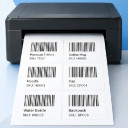
WooCommerce barcode generator for product and order labels & price tags. Easily print label with your printer (UPC, EAN, GS1, GTIN, QRcode).
CHOOSE WHAT YOUR WEBSITE NEEDS
Start with the task you need to solve. Compare features, WordPress and PHP requirements, update history and the author’s documentation. Test changes on a private copy and avoid adding several plugins for the same job.
This independent directory displays plugin information on WebFulHost and links to the official source. Packages are not mirrored or installed here. A plugin can include paid extensions or services with separate terms from its author.

