

AdBuilder WordPress Plugin
By pilotmark
Monetize your site with Free plugin to allow ads to be placed on your site. You control the ads and the pricing.
0+ active installations
- Version
- 1.0.0.
- WordPress
- 5.2+
- PHP
- 7.0+
- Updated
- 13 May 2020
WORDPRESS RESOURCES
Explore public plugin information from the official WordPress.org directory. Compare what a plugin does, its requirements and update history before adding it to your website.
Explore WordPress hosting →397 matching plugins reported by WordPress.org · Page 32 of 34
Source: WordPress.org
Data refreshed 26 Nov 2026 12:56 UTC
By pilotmark
Monetize your site with Free plugin to allow ads to be placed on your site. You control the ads and the pricing.

By Miguelo2008
Quick Adsense Mobile is a plugin based on Quick Adsense , this plugins offers a quicker & flexible way to insert Google Adsense or any Ads code in …

By NewClarity
Display popular content to your users from your own site and/or from our sponsored partners, increasing visitor engagement and revenue.
By tljorgensen
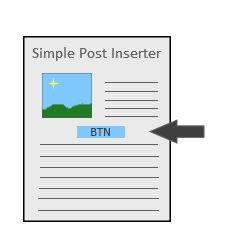
Simple post inserter does what it sounds like. Insert some content into a post at your desired location.

By easyads
Sell your products automatically on all major marketplaces and sales channels with AdvertentiePlanet | Marktplaats.nl, Bol.com, eBay, Amazon etc.

By Insticator
Activate your static visitors with the Insticator Widget.

By Newsmax
InStream Ad implementation made-easy for publishers.

By zoolley
Display popular content to your users from your own site and/or from our sponsored partners, increasing visitor engagement and revenue.

By Richard Alva
Swift Ad lets website administrators easily manage display advertising right from their WordPress website.

By rexdirectnet
REXADZ is a simple and user-friendly ad solution that makes you money by automatically displaying targeted ads to your website visitors.

By awesomedev_
Awesome Ads is the easiest way to show Google Adsense and Chitika ads in your wordpress. You don't need to copy and paste codes.

By The Plugin Factory
GARD (Google AdSense for Responsive Design) allows you to easily place Responsive Google AdSense in your WordPress website's content.
CHOOSE WHAT YOUR WEBSITE NEEDS
Start with the task you need to solve. Compare features, WordPress and PHP requirements, update history and the author’s documentation. Test changes on a private copy and avoid adding several plugins for the same job.
This independent directory displays plugin information on WebFulHost and links to the official source. Packages are not mirrored or installed here. A plugin can include paid extensions or services with separate terms from its author.