Just Events
By WPExplorer
Adds an Event post type to your WordPress powered site.
★ 5.0/5 (3)100+ active installations
- Version
- 1.0.7
- WordPress
- 6.6+
- PHP
- 8.0+
- Updated
- 3 Nov 2026
WORDPRESS RESOURCES
Explore public plugin information from the official WordPress.org directory. Compare what a plugin does, its requirements and update history before adding it to your website.
Explore WordPress hosting →6,591 matching plugins reported by WordPress.org · Page 32 of 50
Source: WordPress.org
Data refreshed 25 Nov 2026 02:52 UTC
By WPExplorer
Adds an Event post type to your WordPress powered site.

By silverplugins217
Display custom stock status labels with colours and icons on your WooCommerce shop, category, archive, single product, and cart pages — no coding need …
WPC Multiple External Product URLs allows you to create multiple external / affiliate product URLs for any product and variation.

By Kybernetik Services
Make up custom-tailored preview lists of the contents easily and place them in widget areas and post contents.

By Iain Poulson
Increase social media engagement by previewing and managing how your content will look on social media sites before sharing it!

By Condless
WooCommerce plugin that sets default attribute for variable products automatically if only 1 option is in-stock.
Addon Elements for Elementor comes with 40+ widgets and extensions to extend the power of Elementor Page Builder.
By Saidul Islam Bokul
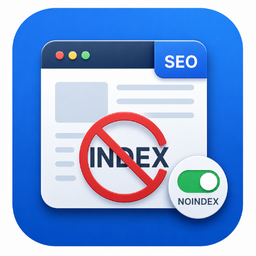
Exclude any post, page, or archive from search engines with one toggle — plus a built-in verifier that proves the tag is really live.

By iworks (Marcin Pietrzak)
Lightweight SEO solution to power up your website.
Disable right click, text selection and copy paste. Content copy protection for WordPress: protect text and images, prevent copying, add watermarks.

By M.Code
Professional media download solution with bulk operations, smart management, and enterprise-grade security for WordPress
WooCommerce Product Badge and Label, Sale Badge, Sold Out Badge, Countdown Timer, Notification Bar (PRO), Quick View, out-of-stock badge.
CHOOSE WHAT YOUR WEBSITE NEEDS
Start with the task you need to solve. Compare features, WordPress and PHP requirements, update history and the author’s documentation. Test changes on a private copy and avoid adding several plugins for the same job.
This independent directory displays plugin information on WebFulHost and links to the official source. Packages are not mirrored or installed here. A plugin can include paid extensions or services with separate terms from its author.