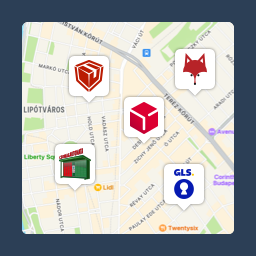
Pickup point map and shipping labels for WooCommerce, for home delivery too. MPL, Foxpost, GLS, DPD, Express One, Packeta and more.
★ 5.0/5 (27)7,000+ active installations
- Version
- 4.3.1
- WordPress
- 6.5+
- PHP
- 7.4+
- Updated
- 10 Nov 2026
WORDPRESS RESOURCES
Explore public plugin information from the official WordPress.org directory. Compare what a plugin does, its requirements and update history before adding it to your website.
Explore WordPress hosting →648 matching plugins reported by WordPress.org · Page 32 of 50
Source: WordPress.org
Data refreshed 22 Nov 2026 10:31 UTC
Pickup point map and shipping labels for WooCommerce, for home delivery too. MPL, Foxpost, GLS, DPD, Express One, Packeta and more.
Create affiliate product boxes, review cards, and track clicks locally with link cloaking and FTC compliance.
More than 20 special blocks for Gutenberg to build complex pages and animations with highest possible web vitals score.

By Eliodata
Easily manage Contact Form 7 forms on WooCommerce order detail pages and change order status upon form submission.

By bearius
Multilingual WordPress: a regular post for every language, translated by hand or by AI with your own key. Language prefixes, hreflang, switcher.

By bsaeed
All-in-one plugin: interactive family tree builder, PayPal subscriptions, user accounts, dashboard, i18n, and notifications.

By videowhisper
Manual translations of Posts and Pages with optional AI/SI assistant drafts, human review, language links and local storage.

Bulk edit WooCommerce products & orders, generate invoices and payment slips, manage customers with tagging, track shipments, RFM analytics, AI-po …

By workinnovate
Translate your WordPress site automatically. The ultimate performance-first, self-hosted AI translation plugin to go multilingual with zero word caps.

By motqan
Translate your WordPress site with Motqan. Pages, posts, menus, SEO and theme text, published back in every language.

By Kelpiks Digital
Audit Contact Form 7 configuration and run controlled email-path tests before a broken form costs you a lead.
Scheduled discounts and dynamic pricing for WooCommerce: discount rules, bulk and quantity discounts, tiered pricing, BOGO, buy X get Y, wholesale.
CHOOSE WHAT YOUR WEBSITE NEEDS
Start with the task you need to solve. Compare features, WordPress and PHP requirements, update history and the author’s documentation. Test changes on a private copy and avoid adding several plugins for the same job.
This independent directory displays plugin information on WebFulHost and links to the official source. Packages are not mirrored or installed here. A plugin can include paid extensions or services with separate terms from its author.