

myCred is a powerful AI-powered WordPress loyalty points and gamification plugin for points, badges, ranks, and WooCommerce rewards.
★ 4.6/5 (472)10,000+ active installations
- Version
- 4.0.4
- WordPress
- 4.8+
- PHP
- 7.0+
- Updated
- 19 Nov 2026
WORDPRESS RESOURCES
Explore public plugin information from the official WordPress.org directory. Compare what a plugin does, its requirements and update history before adding it to your website.
Explore WordPress hosting →2,762 matching plugins reported by WordPress.org · Page 32 of 50
Source: WordPress.org
Data refreshed 27 Nov 2026 11:41 UTC
myCred is a powerful AI-powered WordPress loyalty points and gamification plugin for points, badges, ranks, and WooCommerce rewards.
Create unlimited folders with the Folders WordPress plugin, organize & manage your Media Library files, Pages & Posts in folders 📁

By WordLift
Search engines are looking for meaning, not keywords. WordLift tells Google how your content relates to your brand, products, and stakeholders.
Showcase client logos in a responsive carousel slider. Unlimited carousels, shortcode placement, custom speed, links, and full styling control.

By artbees
Core functionalities for Jupiter X theme.
Add a WhatsApp chat button, WooCommerce WhatsApp order button & click-to-chat floating widget. Capture leads & convert visitors via chat.

By Roxnor
A vast library of free website layouts, including templates, patterns, sections, & completely responsive full-website pre-made starter kit.

By Braintum
Create, organize, and display FAQs with AI-powered answers, one-click FAQ groups, WooCommerce, and a floating chat assistant.
By Dmitry V. (CEO of "UKR Solution")
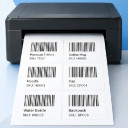
WooCommerce barcode generator for product and order labels & price tags. Easily print label with your printer (UPC, EAN, GS1, GTIN, QRcode).
Show your books with covers, ISBN and publication details in a book grid or slider. For authors, publishers, libraries and book blogs.

By WriteText.ai
WooCommerce AI for SEO, AEO, and GEO. Enrich attributes, generate content, and send to your webshop, Google Merchant Center, and sales channels.

By Saad Iqbal
Password protect your WordPress site with one password. Control access, whitelist trusted IPs, and monitor password activity.
CHOOSE WHAT YOUR WEBSITE NEEDS
Start with the task you need to solve. Compare features, WordPress and PHP requirements, update history and the author’s documentation. Test changes on a private copy and avoid adding several plugins for the same job.
This independent directory displays plugin information on WebFulHost and links to the official source. Packages are not mirrored or installed here. A plugin can include paid extensions or services with separate terms from its author.



