An always-on AI SEO agent for WordPress with a single mission: send you more customers from Google and ChatGPT, every day.
★ 4.5/5 (4)80+ active installations
- Version
- 3.0.2
- WordPress
- 6.6+
- PHP
- 7.2+
- Updated
- 22 Nov 2026
View plugin details ↗Duplicate posts, pages or custom posts with a single click.
★ 4.0/5 (1)2,000+ active installations
- Version
- 0.16
- WordPress
- 6.0+
- PHP
- 7.4+
- Updated
- 3 Jun 2025
View plugin details ↗A huge set of Quick Enhancements and Handy Tools for WooCommerce – the ultimate WooCommerce booster!
★ 4.8/5 (44)8,000+ active installations
- Version
- 2.4.6
- WordPress
- 6.6+
- Updated
- 19 Nov 2026
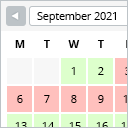
View plugin details ↗This booking calendar shows when something is booked or available. Use it to show when your holiday home is available for rent, for example.
★ 4.8/5 (227)10,000+ active installations
- Version
- 2.0.16
- WordPress
- 4.7+
- PHP
- 5.6+
- Updated
- 29 Jun 2026
View plugin details ↗Drag & drop to import from any CSV, Excel, XML, or Google Sheets file into All In One SEO's titles, meta descriptions, focus keywords, schema …
★ 5.0/5 (2)900+ active installations
- Version
- 2.0.0
- WordPress
- 4.1.0+
- Updated
- 30 Jul 2026
View plugin details ↗Searchable document library, a private built-in PDF viewer and Post to PDF. Unlimited documents, no ads, nothing sent to Google.
★ 5.0/5 (2)100+ active installations
- Version
- 2.3.0
- WordPress
- 6.6+
- PHP
- 7.4+
- Updated
- 6 Nov 2026
View plugin details ↗The plugin offers watermarks templates for bulk watermarks and single editor for applying watermarks on single images.
★ 5.0/5 (2)200+ active installations
- Version
- 1.2.2
- WordPress
- 5.6+
- PHP
- 7.0+
- Updated
- 17 Jul 2026
View plugin details ↗Make your WooCommerce emails become professional.
★ 4.6/5 (105)20,000+ active installations
- Version
- 1.3.6
- WordPress
- 6.2+
- PHP
- 7.4+
- Updated
- 6 Nov 2026
View plugin details ↗Free bulk delete and cleanup for WordPress: remove posts, comments, users, terms and metadata with preview, filters, batching and scheduling.
10+ active installations
- Version
- 1.0.3
- WordPress
- 5.6+
- PHP
- 7.4+
- Updated
- 14 Oct 2026
View plugin details ↗Replace the checkboxes with radio buttons or a select drop-down in the built-in Categories metabox and the Block Editor sidebar panel.
★ 4.9/5 (16)1,000+ active installations
- Version
- 0.9.2
- WordPress
- 5.5+
- Updated
- 25 Jun 2026
View plugin details ↗Show image credits, image captions, and copyrights. Manage image sources, licenses and AI label. The original plugin since 2012.
★ 4.6/5 (42)3,000+ active installations
- Version
- 3.15.0
- WordPress
- 6.9+
- PHP
- 7.4+
- Updated
- 16 Nov 2026
View plugin details ↗Easily add tracking code snippets, conversion pixels, or other scripts required by third party services for analytics, marketing, or chat features.
★ 4.9/5 (309)600,000+ active installations
- Version
- 1.1.46
- WordPress
- 4.9+
- PHP
- 5.6.20+
- Updated
- 15 Jul 2026
View plugin details ↗