

Modern Bulk Editor for Users and Profiles, create and edit hundreds of users in a spreadsheet inside wp-admin. Quick edits.
★ 5.0/5 (19)1,000+ active installations
- Version
- 1.6.1
- WordPress
- 4.7+
- Updated
- 20 Oct 2026
WORDPRESS RESOURCES
Explore public plugin information from the official WordPress.org directory. Compare what a plugin does, its requirements and update history before adding it to your website.
Explore WordPress hosting →2,687 matching plugins reported by WordPress.org · Page 32 of 50
Source: WordPress.org
Data refreshed 29 Nov 2026 05:43 UTC
Modern Bulk Editor for Users and Profiles, create and edit hundreds of users in a spreadsheet inside wp-admin. Quick edits.

All-in-one WooCommerce booster with 18+ powerful extensions to skyrocket conversions: Pre-Orders, Badges, Quick View, Buy Now, Trust Badges & more.

By kendysond
Create forms with multiple input fields and have your users pay before submission. Form submission results are available on your dashboard.

By PickPlugins
Fully responsive and mobile ready Carousel Slider for your woo-commerce product. unlimited slider anywhere via short-codes and easy admin setting.
Seamlessly integrates 500+ payment gateways, including Cashfree, Instamojo, PayPal, Razorpay, and SSLCommerz, with over 100 WordPress plugins.

GDPR & CCPA cookie consent banner for WordPress. Cookie scanner, script blocking, consent logs, Google Consent Mode v2. One login, many sites.

By Scott Paterson
Accept PayPal Standard, PayPal Commerce, and Stripe for WooCommerce, with a built-in subscription module.

Cookie notice banner for GDPR, CCPA, EU cookie law, data protection and privacy regulations and other cookie law and consent notice requirements on yo …
Set minimum and maximum order limits by amount, quantity, weight, volume, or dimensions in WooCommerce.

By Bunty
Re-Post an Activity from activity stream. Re-post an activity to your group and personal activity.
Accept Visa, MasterCard, Vipps, Apple Pay, Google Pay, Click to Pay, Swish, MobilePay,
By Dinesh Karki
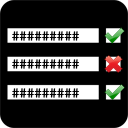
New standard of advance validation for Contact Form 7.
CHOOSE WHAT YOUR WEBSITE NEEDS
Start with the task you need to solve. Compare features, WordPress and PHP requirements, update history and the author’s documentation. Test changes on a private copy and avoid adding several plugins for the same job.
This independent directory displays plugin information on WebFulHost and links to the official source. Packages are not mirrored or installed here. A plugin can include paid extensions or services with separate terms from its author.


