Automatically displays a shopping cart in your menu bar. Works with WooCommerce and Easy Digital Downloads (EDD)
★ 4.6/5 (99)70,000+ active installations
- Version
- 3.2.1
- WordPress
- 3.4+
- PHP
- 7.4+
- Updated
- 18 Nov 2026
View plugin details ↗Futurio Extra add extra features to Futurio theme like widgets, WooCommerce options, Elementor widgets, one click demo import and much more.
★ 5.0/5 (1)10,000+ active installations
- Version
- 2.0.27
- WordPress
- 4.4+
- Updated
- 23 Nov 2026
View plugin details ↗Create high-impact floating content that stays visible without annoying visitors. Perfect for announcements, CTAs, and promotions.
★ 4.1/5 (30)7,000+ active installations
- Version
- 1.2.9
- WordPress
- 4.0+
- Updated
- 14 Jul 2026
View plugin details ↗Boost the performance of your WordPress site by optimizing your images and videos with the Cloudinary WordPress Plugin. WordPress developers, content …
★ 4.0/5 (64)4,000+ active installations
- Version
- 3.3.9
- WordPress
- 6.3+
- PHP
- 7.4+
- Updated
- 11 Nov 2026
View plugin details ↗WCBoost – Variation Swatches is the ultimate plugin to display WooCommerce product variations in style.
★ 4.8/5 (5)40,000+ active installations
- Version
- 1.1.5
- WordPress
- 4.5+
- PHP
- 7.0+
- Updated
- 13 Oct 2026
View plugin details ↗The booking calendar plugin for WordPress. Get easy online booking with this lightweight and powerful booking calendar.
★ 4.9/5 (344)10,000+ active installations
- Version
- 2.1.0.8
- WordPress
- 4.7+
- PHP
- 5.6+
- Updated
- 10 Nov 2026
View plugin details ↗Internal links & external links manager: open in new window or tab, control nofollow, ugc, sponsored & noopener. SEO friendly.
★ 4.3/5 (247)80,000+ active installations
- Version
- 2.66
- WordPress
- 4.2+
- PHP
- 7.2+
- Updated
- 16 Aug 2026
View plugin details ↗Create and manage custom post types and custom taxonomies with an easy-to-use UI in WordPress.
★ 4.7/5 (13)10,000+ active installations
- Version
- 2.13.1
- WordPress
- 6.7+
- PHP
- 7.4+
- Updated
- 12 Nov 2026
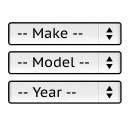
View plugin details ↗It will find products for selected make and model.
★ 5.0/5 (34)1,000+ active installations
- Version
- 1.0.12
- WordPress
- 4.7+
- Updated
- 20 Nov 2026
View plugin details ↗Powered Cache is the most powerful caching and performance suite for WordPress. Easily Improve PageSpeed & Web Vitals Score.
★ 4.8/5 (58)3,000+ active installations
- Version
- 4.0.3
- WordPress
- 6.5+
- PHP
- 7.4+
- Updated
- 6 Nov 2026
View plugin details ↗This plugin will help you to track your visitors & visits, browsers, operating systems, GEO locations and much more, easy to install and working fine.
★ 4.5/5 (156)20,000+ active installations
- Version
- 8.9.1
- WordPress
- 5.0+
- Updated
- 4 Nov 2026
View plugin details ↗Blocks spam the moment you activate it. No CAPTCHA, no setup, no API key. Multi-Layer. Just install and forget.
★ 4.7/5 (87)30,000+ active installations
- Version
- 3.3.0
- WordPress
- 6.2+
- PHP
- 7.4+
- Updated
- 19 Nov 2026
View plugin details ↗