

Qode Wishlist for WooCommerce plugin is the ideal toolkit for letting your visitors save & share comprehensive lists with their products of interest.
★ 5.0/5 (2)10,000+ active installations
- Version
- 1.3.0
- WordPress
- 6.3+
- PHP
- 7.4+
- Updated
- 4 Nov 2026
WORDPRESS RESOURCES
Explore public plugin information from the official WordPress.org directory. Compare what a plugin does, its requirements and update history before adding it to your website.
Explore WordPress hosting →2,452 matching plugins reported by WordPress.org · Page 32 of 50
Source: WordPress.org
Data refreshed 23 Nov 2026 06:32 UTC
Qode Wishlist for WooCommerce plugin is the ideal toolkit for letting your visitors save & share comprehensive lists with their products of interest.
By Saidul Islam Bokul
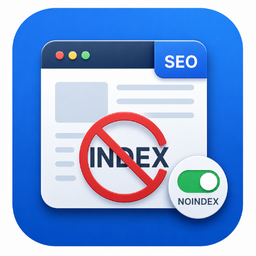
Exclude any post, page, or archive from search engines with one toggle — plus a built-in verifier that proves the tag is really live.

By Arun Benchamin
Transform your WordPress site with AI-powered chat. Full-page interface or floating widget. Vector search with citations.

By Stefano Papa | Ace Plugins
Free AJAX WooCommerce filters plus instant product search. Unlimited filter sets and panels, advanced styling, and Elementor widgets.
Preview unsaved changes on your actual frontend in a floating panel while editing posts, pages and supported custom post types.

By Ellie Miguel
QA and setup checklist for reviewing WordPress sites during development, launch and handoff.

The ultimate solution for booking appointments, meetings, webinars, events, sales calls, and more.
Run wholesale and retail from one WooCommerce store. Set wholesale prices, manage roles, and approve B2B customers — no coding required.

By pikocode
Upload STL files to calculate printing estimates, weight, and cost, and display the results on your site’s frontend.

By Timo Reith
Notify on every post change: Flexible rules, custom placeholders and support for all post types and taxonomies.
Compress images & PDFs automatically, convert to WebP & AVIF, and generate SEO-friendly filenames with AI. Bulk optimization, smart crop & resize.
The best WooCommerce checkout manager. Edit, remove or add checkout fields. Customize WooCommerce checkout with this checkout field customizer.
CHOOSE WHAT YOUR WEBSITE NEEDS
Start with the task you need to solve. Compare features, WordPress and PHP requirements, update history and the author’s documentation. Test changes on a private copy and avoid adding several plugins for the same job.
This independent directory displays plugin information on WebFulHost and links to the official source. Packages are not mirrored or installed here. A plugin can include paid extensions or services with separate terms from its author.



