

EasyPost Shipping plugin for WooCommerce displays live shipping rates at cart / checkout pages.
★ 5.0/5 (1)400+ active installations
- Version
- 1.6.20
- WordPress
- 5.6+
- PHP
- 7.4+
- Updated
- 22 Nov 2026
WORDPRESS RESOURCES
Explore public plugin information from the official WordPress.org directory. Compare what a plugin does, its requirements and update history before adding it to your website.
Explore WordPress hosting →2,181 matching plugins reported by WordPress.org · Page 32 of 50
Source: WordPress.org
Data refreshed 23 Nov 2026 06:32 UTC
EasyPost Shipping plugin for WooCommerce displays live shipping rates at cart / checkout pages.
Connect contact forms and WooCommerce to WhatsApp & Telegram by live click to chat. Send form data to WhatsApp Business for customer engagement

By WPManageNinja
Post jobs, collect applications with CVs, and manage applicants in WordPress. Includes Gutenberg blocks, spam protection and privacy tools.

By VillaTheme
Build stunning real estate websites with REES - Real Estate for WooCommerce. Property templates, Google Maps, virtual tours & more!
By Graham
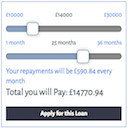
A simple repayment calculator. Uses sliders to set the amount and term and displays a range of outputs
Manage AdSense, Amazon Ads, Media.net, banner ads, sticky widgets, AMP ads, DFP, tracking, header and footer code, location-specific ads, random ads & …

By BeSmartWeb
Car rental booking system for WordPress. Manage your fleet, locations, pricing, bookings and customers from your WordPress admin.

By WPManageNinja
Get a video player for WordPress that captures leads and collects emails on play.
By ELEXtensions
WooCommerce UPS & FedEx Shipping Method Plugin uses ShipEngine API to Display Live Shipping Rates from UPS & FedEx based on Shipping Address & …

By VillaTheme
Makes your product page informative with additional info, such as: Review, Stock, Sales, Countdown, Coupon, Social Proof, Rank and more.

By norwichwebsitedesign
Standalone local pickup and click and collect ordering for WordPress. Time slots, storefront and order management. No WooCommerce needed.

By Awais Altaf
Show your logo anywhere: theme header, login screen, admin bar, and emails. Retina, dark mode, mobile, sticky, and per-page logos.
CHOOSE WHAT YOUR WEBSITE NEEDS
Start with the task you need to solve. Compare features, WordPress and PHP requirements, update history and the author’s documentation. Test changes on a private copy and avoid adding several plugins for the same job.
This independent directory displays plugin information on WebFulHost and links to the official source. Packages are not mirrored or installed here. A plugin can include paid extensions or services with separate terms from its author.

