

LLM Override
By Fran Barbero
Make your content accessible and accurate for AI systems. The compliance-first GEO optimization toolkit for WordPress.
30+ active installations
- Version
- 1.2.3
- WordPress
- 6.9+
- PHP
- 8.1+
- Updated
- 20 Aug 2026
WORDPRESS RESOURCES
Explore public plugin information from the official WordPress.org directory. Compare what a plugin does, its requirements and update history before adding it to your website.
Explore WordPress hosting →745 matching plugins reported by WordPress.org · Page 32 of 50
Source: WordPress.org
Data refreshed 26 Nov 2026 20:47 UTC
By Fran Barbero
Make your content accessible and accurate for AI systems. The compliance-first GEO optimization toolkit for WordPress.

By HDWebMobile
Let customers attach photos and short videos to their WooCommerce product reviews, shown right in the review list.

By karevatechsol26
Set HSTS, CSP, X-Frame-Options and other HTTP security headers from your dashboard, with presets, testing and reporting.

By SERVIT Software Solutions
Fast & Compatible with every WordPress Theme: With our plugin for WordPress, you can easily create and add your affiliate products to your website.

By Rickard Westerlind
Improve the quality of re-sized images by replacing standard GD library with ImageMagick.

By TrustScript
Enterprise-grade WordPress helpdesk solution with intelligent ticket management, email piping, agent workflows, and WooCommerce integration.

By Yoren Chang
Search through all fields in Media Library.
By vishvajit424
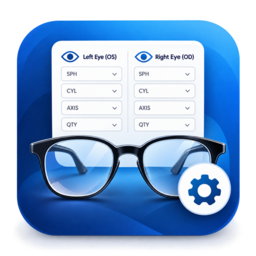
Contact-lens prescription fields for WooCommerce: SPH, CYL, AXIS and number of boxes per eye, plus an optional private prescription upload.

By Satrim Technologies
File and database inspection, vulnerability monitoring, authenticator 2FA, login limits, firewall learning and encrypted recovery in one dashboard.

By Valerio Monti
This plugin allows you to automatically generate an Alt Text for images uploaded into the media library via AI.

By Simone Nigro
Help browser to cache a local copy of static files and improve page load times.
CHOOSE WHAT YOUR WEBSITE NEEDS
Start with the task you need to solve. Compare features, WordPress and PHP requirements, update history and the author’s documentation. Test changes on a private copy and avoid adding several plugins for the same job.
This independent directory displays plugin information on WebFulHost and links to the official source. Packages are not mirrored or installed here. A plugin can include paid extensions or services with separate terms from its author.