

YM Fast SEO
By Yan Metelitsa
Enhance your website with powerful, intuitive, and user-friendly SEO tools.
★ 5.0/5 (2)100+ active installations
- Version
- 4.2.1
- WordPress
- 5.5.1+
- PHP
- 7.4+
- Updated
- 12 Nov 2026
WORDPRESS RESOURCES
Explore public plugin information from the official WordPress.org directory. Compare what a plugin does, its requirements and update history before adding it to your website.
Explore WordPress hosting →3,377 matching plugins reported by WordPress.org · Page 32 of 50
Source: WordPress.org
Data refreshed 19 Nov 2026 14:06 UTC
By Yan Metelitsa
Enhance your website with powerful, intuitive, and user-friendly SEO tools.
By Xylus Themes
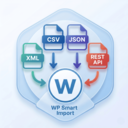
Import any XML file into WordPress in minutes — no coding needed, just drag, drop, map your fields & go live instantly!

By Premmerce
Premmerce is a must-have toolkit for WooCommerce with a detailed Setup Wizard for your store.

By Jose Mortellaro
Improve the rendering performance inlining the little images directly into the HTML as base64 (e.g. the logo).

By Blinkspeed
Boost your WordPress site speed with advanced AI optimization techniques.

By Code Domination
Click tracking for any CSS selector, built-in click heat maps, and real-visitor counts with bot filtering.

By Konrad Chmielewski
All-in-one enhancement suite that improves WordPress & Advanced Custom Fields.

By WPS.sk
Optimizes images on upload. Define max. size and select the types of images to convert to webp and what quality the optimized image should have.

By Grzegorz Puszka
Speed up WordPress image delivery with local WebP and AVIF optimization. Free, private, unlimited, with no subscription or PRO version.

By Nabil Lemsieh
Make all WooCommerce product images the same size without cropping. Automatic, no configuration required.

By Tribe Interactive
A high-performance WooCommerce side cart, mini cart, and free shipping bar that boosts AOV with in-cart upsells and save for later.
Add pixel tracking to your WordPress site with Conversions API, server-side tracking, AI ad copy generation, and AI marketing consultant.
CHOOSE WHAT YOUR WEBSITE NEEDS
Start with the task you need to solve. Compare features, WordPress and PHP requirements, update history and the author’s documentation. Test changes on a private copy and avoid adding several plugins for the same job.
This independent directory displays plugin information on WebFulHost and links to the official source. Packages are not mirrored or installed here. A plugin can include paid extensions or services with separate terms from its author.
