Import affiliate products, compare prices, and publish product reviews with 25+ editorial Gutenberg blocks.
★ 3.9/5 (58)10,000+ active installations
- Version
- 12.1.0
- WordPress
- 6.9+
- PHP
- 8.0+
- Updated
- 29 Oct 2026
WORDPRESS RESOURCES
Explore public plugin information from the official WordPress.org directory. Compare what a plugin does, its requirements and update history before adding it to your website.
Explore WordPress hosting →4,544 matching plugins reported by WordPress.org · Page 32 of 50
Source: WordPress.org
Data refreshed 20 Nov 2026 19:08 UTC
Import affiliate products, compare prices, and publish product reviews with 25+ editorial Gutenberg blocks.

By Yevhen Leonidov
Complete security platform for everyday: block bots, brute-force, viruses, spam, fake crawlers. WAF, 2FA, no-malware, proactive defense.
Add the TikTok Pixel to WordPress without editing code, so TikTok Ads can measure your campaigns and build audiences from your visitors.

By storeapps
Give developers or support staff temporary admin access to your WordPress site — no username, no password, and it expires automatically.

By Majestic Support
Majestic Support for WordPress is a top-tier ticket system that can significantly enhance your customers' support experience.
By Denis Botić
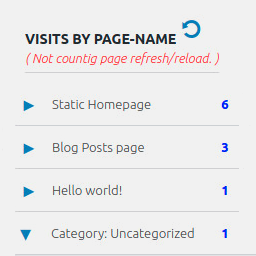
Display number of visits for each page in admin dashboard and browser developer-tool/console. Doesn't count page refresh as a new visit...

By PluginRx
Clear all cache sources in one click from the WordPress admin bar, including WP cache, transients, sessions, browser cache.
Get more shares on social: add one-click shareable quote boxes to any post so readers can share your best lines on Social Media in one click.

By Arrow Design
Auto post WordPress content to X (formerly Twitter), publish existing posts, or schedule posts for later from your WordPress dashboard.

By Guru Plugins
Generate AI blog topics, queue posts, create WordPress drafts with images, schedule content, add CTAs, and manage everything from one dashboard.

By Nasir Ahmed
Send WordPress form and order data to 300+ CRMs, email tools, and sheets — no code, no per-task fees, data stays on your site.

By YeKen
Create a library of custom shortcodes and reusable content, and seamlessly insert them into your posts and pages.
CHOOSE WHAT YOUR WEBSITE NEEDS
Start with the task you need to solve. Compare features, WordPress and PHP requirements, update history and the author’s documentation. Test changes on a private copy and avoid adding several plugins for the same job.
This independent directory displays plugin information on WebFulHost and links to the official source. Packages are not mirrored or installed here. A plugin can include paid extensions or services with separate terms from its author.