
Hide WP Toolbar
By Jeremy Saxey
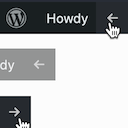
Easily hide or show the front-end WordPress Admin Toolbar with a click of a button.
★ 4.9/5 (13)900+ active installations
- Version
- 2.7
- WordPress
- 3.8+
- Updated
- 11 Apr 2025
WORDPRESS RESOURCES
Explore public plugin information from the official WordPress.org directory. Compare what a plugin does, its requirements and update history before adding it to your website.
Explore WordPress hosting →663 matching plugins reported by WordPress.org · Page 32 of 50
Source: WordPress.org
Data refreshed 23 Nov 2026 03:00 UTC
By Jeremy Saxey
Easily hide or show the front-end WordPress Admin Toolbar with a click of a button.

By goonydev
R2 offload, WebP, and media library cleanup: scanners for missing variants, stale URLs, and orphan files. Free, no monthly fees.

By TopHive
Add a fast AJAX side cart with free-shipping progress, smart product offers, checkout bumps, and abandoned-cart recovery for WooCommerce.

By Maira Foresto
Import and export WordPress media from CSV with column mapping, pre-import checks, flexible exports, and duplicate prevention.

By Verdict
Eliminate fraud & verify customer age with real ID checks
Manage PHP & JS snippets the clean way, then turn any function into an AI tool, a workflow step, or a REST endpoint. Write once, use everywhere. 🤟

By sverde1
Automatically add customizable text watermarks to new images on upload to protect your WordPress media library.
Create career pages for job listings, hiring or recruiting great talent with Crew HRM. It helps manage employee info, leave requests, onboarding

By Plugins.shop
Replay WooCommerce checkout sessions, review checkout errors and troubleshoot friction with protected recordings stored on your WordPress hosting.

By Jonathan de Jong
Supercharge your custom post type archives by letting visitors filter posts by their terms/categories. This plugin handles the whole thing for you!

By Pagadito Developers
Pagadito allows you to pay online in a safe, easy and reliable way.

By Jordy Meow
Schedule posts without subscription fees. Self-hosted, AI-powered, with full MCP support for intelligent automation.
CHOOSE WHAT YOUR WEBSITE NEEDS
Start with the task you need to solve. Compare features, WordPress and PHP requirements, update history and the author’s documentation. Test changes on a private copy and avoid adding several plugins for the same job.
This independent directory displays plugin information on WebFulHost and links to the official source. Packages are not mirrored or installed here. A plugin can include paid extensions or services with separate terms from its author.

