The FAQ Manager plugin lets you create & manage FAQs in an accordion style. Use this WordPress FAQ plugin to group and display FAQs with ease.
★ 3.8/5 (4)2,000+ active installations
- Version
- 1.5.6
- WordPress
- 5.0+
- Updated
- 3 Sep 2026
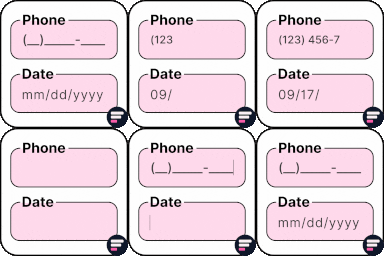
View plugin details ↗Apply input masks in Elementor form widget fields - phone, date, time, credit card, CPF, CNPJ, CEP & more for valid and error-free entries.
★ 4.5/5 (24)10,000+ active installations
- Version
- 4.4.5
- WordPress
- 5.0+
- PHP
- 7.2+
- Updated
- 1 Sep 2026
View plugin details ↗Build your property rental website visually with MotoPress Hotel Booking plugin shortcodes and Elementor.
★ 3.9/5 (7)10,000+ active installations
- Version
- 1.2.1
- WordPress
- 4.6+
- PHP
- 5.6+
- Updated
- 23 Sep 2026
View plugin details ↗An easy to use age verification plugin for any membership or 18+ adult sites or any sites, that requires confirmation from a visitor.
★ 4.4/5 (7)800+ active installations
- Version
- 8.2.0
- WordPress
- 5.2+
- PHP
- 7.4+
- Updated
- 22 Jun 2026
View plugin details ↗Write once, publish everywhere. Reach your target audience by sharing your content with Jetpack Social!
★ 3.3/5 (75)30,000+ active installations
- Version
- 10.0.0
- WordPress
- 7.0+
- PHP
- 7.4+
- Updated
- 14 Oct 2026
View plugin details ↗Instant switching between user accounts in WordPress and WooCommerce.
★ 4.9/5 (238)200,000+ active installations
- Version
- 1.12.2
- WordPress
- 6.3+
- PHP
- 7.4+
- Updated
- 29 Aug 2026
View plugin details ↗Manage Google AdSense ads, banners, ad rotation, sticky widgets, AMP ads, ads.txt, tracking, header and footer code, PHP code, global custom fields
★ 4.9/5 (2,435)300,000+ active installations
- Version
- 2.8.20
- WordPress
- 6.0+
- PHP
- 7.4+
- Updated
- 28 Oct 2026
View plugin details ↗Flash Toolkit is a companion for Flash WordPress theme by ThemeGrill
★ 5.0/5 (4)10,000+ active installations
- Version
- 1.2.7
- WordPress
- 5.5+
- PHP
- 7.4+
- Updated
- 1 Oct 2026
View plugin details ↗Download Attachments is a new approach to managing downloads in WordPress. It allows you to easily add and display download links in any post or page.
★ 4.5/5 (46)8,000+ active installations
- Version
- 1.4.1
- WordPress
- 6.0+
- PHP
- 7.0.0+
- Updated
- 26 May 2026
View plugin details ↗A lightweight, customisable age gate to lock content from younger audience.
★ 5.0/5 (6)2,000+ active installations
- Version
- 0.0.7
- WordPress
- 4.0+
- PHP
- 5.2.4+
- Updated
- 20 May 2026
View plugin details ↗Style your Contact Form 7 forms right from the Elementor visual editor.
★ 3.3/5 (3)800+ active installations
- Version
- 1.0.0
- WordPress
- 4.0+
- Updated
- 23 Aug 2026
View plugin details ↗Site Reviews is the best free reviews plugin. It integrates with WooCommerce & SureCart and works just like reviews on Amazon, Tripadvisor, and Yelp.
★ 4.9/5 (379)60,000+ active installations
- Version
- 8.3.8
- WordPress
- 6.8+
- PHP
- 8.1.2+
- Updated
- 15 Nov 2026
View plugin details ↗