

Search Popup ThunderBolt
By Fox Plugin
Search Popup ThunderBolt (Optimate search realtime)
30+ active installations
- Version
- 1.1.6
- PHP
- 5.8+
- Updated
- 27 Feb 2024
WORDPRESS RESOURCES
Explore public plugin information from the official WordPress.org directory. Compare what a plugin does, its requirements and update history before adding it to your website.
Explore WordPress hosting →565 matching plugins reported by WordPress.org · Page 33 of 48
Source: WordPress.org
Data refreshed 21 Nov 2026 20:15 UTC
By Fox Plugin
Search Popup ThunderBolt (Optimate search realtime)

By Kevin Kyburz (@swissky)
Generate prefetch manifest files and HTTP Link headers for Cloudflare Enterprise Prefetch URLs.

By priizmo
Optimize your WordPress content for AI search engines (ChatGPT, Perplexity, Google AI Overviews) with AI summaries and JSON-LD FAQ schema.

By convertopia
Convertopia is a smart site search tool an all-in-one solution to boost conversion, profit retailers, and improve shopping experience.

By impresswp
A visual editor for twenty art-directed animated backgrounds, from a curl-noise flow field to storms and fireworks. No page builder, no Pro tier.
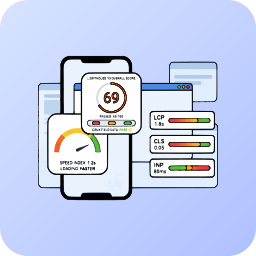
By MegaWix Technologies
Monitor and improve your Core Web Vitals (LCP, CLS, INP) using professional Lighthouse 10 analysis, completely managed via the Mega Plugin Hub.

By Andrew "Mistyk" Moritz
Add a customizable AI chatbot to your WordPress site. Real-time web search, unlimited conversations. Get started free!

By chillichalli
Add smart fees and discounts to WooCommerce. Create rules based on cart total, location, payment method, and more.

By WPBulkify
Bulk install plugins & themes, manage profiles, detect conflicts, and sync across browsers with the WPBulkify browser extension.

By pookidevs
K2 Blocks Build Gutenberg Websites With Advanced Features At Lightning Speed.

By wpbranddigital
Build a modern customer support center on WordPress with a dual-mode AI/human Chatbot and a complete dynamic Gutenberg-based Knowledge Base.

By Bartlomiej Mont
AI‑powered semantic search for WooCommerce. Fast live results, smarter relevance, fewer empty results, and a customizable, mobile‑friendly UI.
CHOOSE WHAT YOUR WEBSITE NEEDS
Start with the task you need to solve. Compare features, WordPress and PHP requirements, update history and the author’s documentation. Test changes on a private copy and avoid adding several plugins for the same job.
This independent directory displays plugin information on WebFulHost and links to the official source. Packages are not mirrored or installed here. A plugin can include paid extensions or services with separate terms from its author.