Magic API Email
By MagicWP.io
Send WordPress emails through a transactional API provider: Resend, Mailgun, Postmark, or Mailtrap. No SMTP needed.
★ 5.0/5 (1)60+ active installations
- Version
- 1.3.0
- WordPress
- 6.0+
- PHP
- 8.0+
- Updated
- 18 Nov 2026
WORDPRESS RESOURCES
Explore public plugin information from the official WordPress.org directory. Compare what a plugin does, its requirements and update history before adding it to your website.
Explore WordPress hosting →2,382 matching plugins reported by WordPress.org · Page 33 of 50
Source: WordPress.org
Data refreshed 22 Nov 2026 19:49 UTC
By MagicWP.io
Send WordPress emails through a transactional API provider: Resend, Mailgun, Postmark, or Mailtrap. No SMTP needed.

WP Courses LMS - Create Courses, Lessons, Quizzes, Profiles and more. Online Courses Builder, eLearning Courses, Courses Solution, Education Courses.

Elementor addons: Elementor widgets, Elementor templates, 100+ widgets, 4 000+ templates, Mega Menu, Popup Builder, WooCommerce Builder, AI tools.
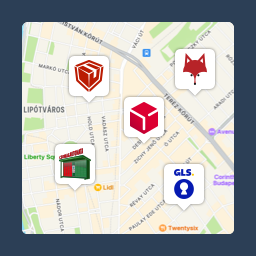
Pickup point map and shipping labels for WooCommerce, for home delivery too. MPL, Foxpost, GLS, DPD, Express One, Packeta and more.

By Marcel Pol
A simple 'related posts' plugin that lets you select related posts manually.

By bqworks
Accordion Slider is a responsive accordion plugin that offers Premium features for FREE, like animated layers, post content, full width layout.

By Brainstorm Force
Lightweight SEO assistant for meta tags, schema and structured data, XML sitemaps, Open Graph previews, robots.txt, and Search Console.
Fix WordPress email delivery. Send through Gmail, Microsoft 365, SendGrid, Amazon SES, Brevo and more by API, OAuth, or SMTP, with fallback and logs.

By Connor Bulmer
Generate accessible alt text and image titles with OpenAI, Claude or DeepSeek, using page and product context.

By Rankology
Rankology SEO and Analytics Tool is a powerful, fast, and easy-to-use SEO plugin that helps WordPress sites rank higher in search engines.

By Gagan Deep Singh
Enables your WordPress site to send emails via PostMarkApp API.

By surviving404
Scan your WordPress Media Library for orphaned attachments and safely delete them to reclaim disk space.
CHOOSE WHAT YOUR WEBSITE NEEDS
Start with the task you need to solve. Compare features, WordPress and PHP requirements, update history and the author’s documentation. Test changes on a private copy and avoid adding several plugins for the same job.
This independent directory displays plugin information on WebFulHost and links to the official source. Packages are not mirrored or installed here. A plugin can include paid extensions or services with separate terms from its author.