Share buttons for WordPress including the AddToAny button, Facebook, Bluesky, Mastodon, WhatsApp, Pinterest, Reddit, many more, and follow icons too.
★ 4.7/5 (1,114)300,000+ active installations
- Version
- 1.8.18
- WordPress
- 4.5+
- PHP
- 5.6+
- Updated
- 22 May 2026
View plugin details ↗Create and manage custom post types and custom taxonomies with an easy-to-use UI in WordPress.
★ 4.7/5 (13)10,000+ active installations
- Version
- 2.13.1
- WordPress
- 6.7+
- PHP
- 7.4+
- Updated
- 12 Nov 2026
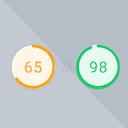
View plugin details ↗Preload Featured Images automatically in posts to increase the PageSpeed Score.
★ 5.0/5 (3)1,000+ active installations
- Version
- 1.1.0
- WordPress
- 6.3+
- PHP
- 7.4+
- Updated
- 20 Aug 2026
View plugin details ↗Serve clean Markdown versions of WordPress posts, pages, and custom post types for AI agents, LLM tools, and content pipelines.
★ 5.0/5 (5)800+ active installations
- Version
- 1.1.1
- WordPress
- 6.0+
- PHP
- 7.4+
- Updated
- 26 Oct 2026
View plugin details ↗Let customers upload a payment receipt (image or PDF) for any payment method, and approve or reject it from the WooCommerce order screen.
★ 5.0/5 (14)1,000+ active installations
- Version
- 2.15.0
- WordPress
- 6.0+
- PHP
- 7.4+
- Updated
- 26 Sep 2026
View plugin details ↗Customize the default WooCommerce email templates design and text through the native WordPress customizer. Preview emails and send test emails.
★ 4.5/5 (142)90,000+ active installations
- Version
- 1.5.19.2
- WordPress
- 5.3+
- PHP
- 5.2.4+
- Updated
- 21 Sep 2026
View plugin details ↗AI Events Calendar plugin for creating free or paid events. Supports Event Types, Bookings, Tickets, Venues, Performers, AI abilities, and a lot more.
★ 4.4/5 (86)7,000+ active installations
- Version
- 4.4.0.0
- WordPress
- 4.8+
- PHP
- 7.2+
- Updated
- 18 Nov 2026
View plugin details ↗Display testimonials and reviews on any page or widget area as list or slider. Upgrade to PRO for additional layouts, themes, submission form, API, ra …
★ 4.9/5 (28)1,000+ active installations
- Version
- 2.0.8.3
- WordPress
- 5.0+
- PHP
- 5.6+
- Updated
- 12 Oct 2026
View plugin details ↗A WordPress plugin that helps users to migrate their sites to WordPress.com
★ 4.7/5 (9)2,000+ active installations
- Version
- 6.78
- WordPress
- 4.0+
- PHP
- 7.4+
- Updated
- 5 Nov 2026
View plugin details ↗App-ads.txt & Ads.txt manager allows you to create, manage & publish your app-ads.txt & ads.txt file from your WordPress dashboard.
★ 4.8/5 (48)2,000+ active installations
- Version
- 1.1.14
- WordPress
- 4.1+
- PHP
- 5.6+
- Updated
- 11 Nov 2026
View plugin details ↗Responsive HTML5 video player for WordPress. Embed MP4, WebM, OGG, YouTube & Vimeo with shortcodes or blocks – customizable, fast, SEO-friendly.
★ 4.6/5 (195)20,000+ active installations
- Version
- 2.14.3
- WordPress
- 6.5+
- PHP
- 7.4+
- Updated
- 17 Nov 2026
View plugin details ↗The easiest way to connect Google Analytics 4 to WordPress. See real-time stats, eCommerce, and events tracking, right in your dashboard.
★ 4.7/5 (488)20,000+ active installations
- Version
- 9.1.2
- WordPress
- 4.0+
- Updated
- 25 Sep 2026
View plugin details ↗