Custom Post Type Widgets
By thingsym
Custom Post Type Widgets plugin adds default custom post type widgets.
★ 4.8/5 (14)10,000+ active installations
- Version
- 1.5.3
- WordPress
- 5.9+
- PHP
- 7.4+
- Updated
- 2 Jun 2026
WORDPRESS RESOURCES
Explore public plugin information from the official WordPress.org directory. Compare what a plugin does, its requirements and update history before adding it to your website.
Explore WordPress hosting →1,370 matching plugins reported by WordPress.org · Page 33 of 50
Source: WordPress.org
Data refreshed 19 Nov 2026 16:11 UTC
By thingsym
Custom Post Type Widgets plugin adds default custom post type widgets.

By Mohamed Endisha
Secure Passkeys is a powerful WordPress plugin that enables passwordless authentication using WebAuthn technology.
By Keylor Mendoza
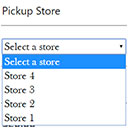
WC Pickup Store is a custom shipping method that lets you to set up one or multiple stores to local pickup in the Checkout page in WooCommerce

By Naked Cat Plugins
This plugin adds the Portuguese “States”, known as “Distritos”, to WooCommerce and sets the correct address format for Portugal.

By AAM Plugin
Access Governance for WordPress. Understand, control, and continuously govern who and what can access your WordPress website.

By Raghu
Add GTIN number to inventory tabs of woocommerce product.

By 沈唁
使用腾讯云对象存储服务 COS 作为附件存储空间。(Using Tencent Cloud Object Storage Service COS as Attachment Storage Space.)
Display WooCommerce products in a responsive slider or carousel with customizable layouts to boost engagement and improve product browsing.
Easily export data from any post type, custom field, or taxonomy to a CSV, XML, or Excel file of any custom format. Supports WooCommerce products, ord …

By Denra.com
Shortcode to show any current, past, and future date or time. Display this, previous, or next year, month, day, etc.
This Plugin enables WooCommerce shop owners to get direct and instant payments through UPI apps like BHIM, GooglePay, PhonePe or any banking UPI app.

By Vernon Systems Limited
The base plugin for the eHive plugin suite.
CHOOSE WHAT YOUR WEBSITE NEEDS
Start with the task you need to solve. Compare features, WordPress and PHP requirements, update history and the author’s documentation. Test changes on a private copy and avoid adding several plugins for the same job.
This independent directory displays plugin information on WebFulHost and links to the official source. Packages are not mirrored or installed here. A plugin can include paid extensions or services with separate terms from its author.